Protect a Web Form Using CAPTCHA
Scenario
The sample website (deployed as part of this workshop) contains a Quiz. You are required to install a AWS WAF CAPTCHA protection for the Quiz page to verify that only answers from legitimate users can pass through.
Instructions
Use the AWS WAF CAPTCHA to ensure that the form hosted at /quiz can only receive access from humans. You will anually verify that the rule is working. After that, you’ll solve the presented CAPTCHA puzzle, then solve the AWS WAF Quiz.
Procedure
Add a custom rule to the Web ACL:
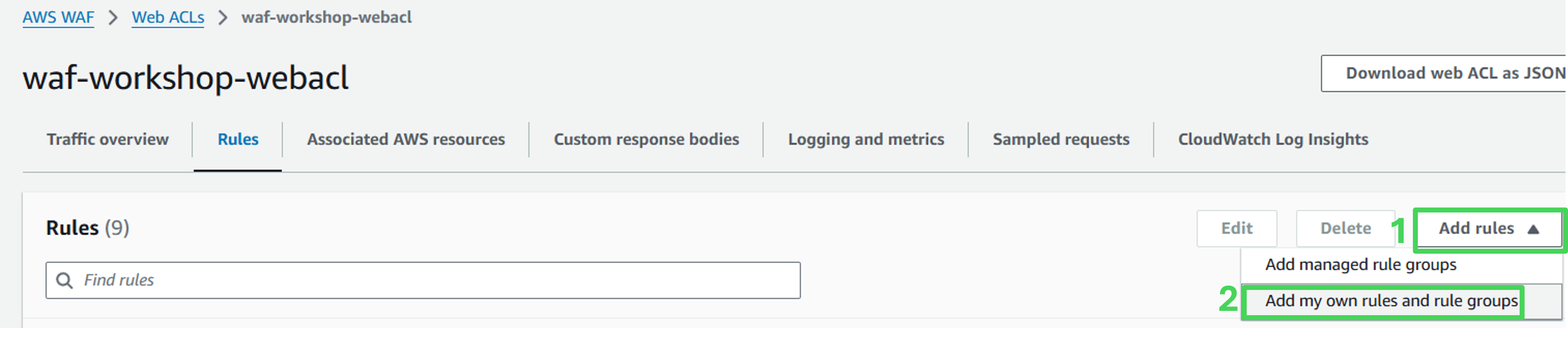
Navigate to the Rules tab of the Web ACL
Click on Add Rules and select Add my own rules and rule groups
 Rule details
- Rule type: Rule builder
- Name: quiz-captcha
- Type: Regular rule

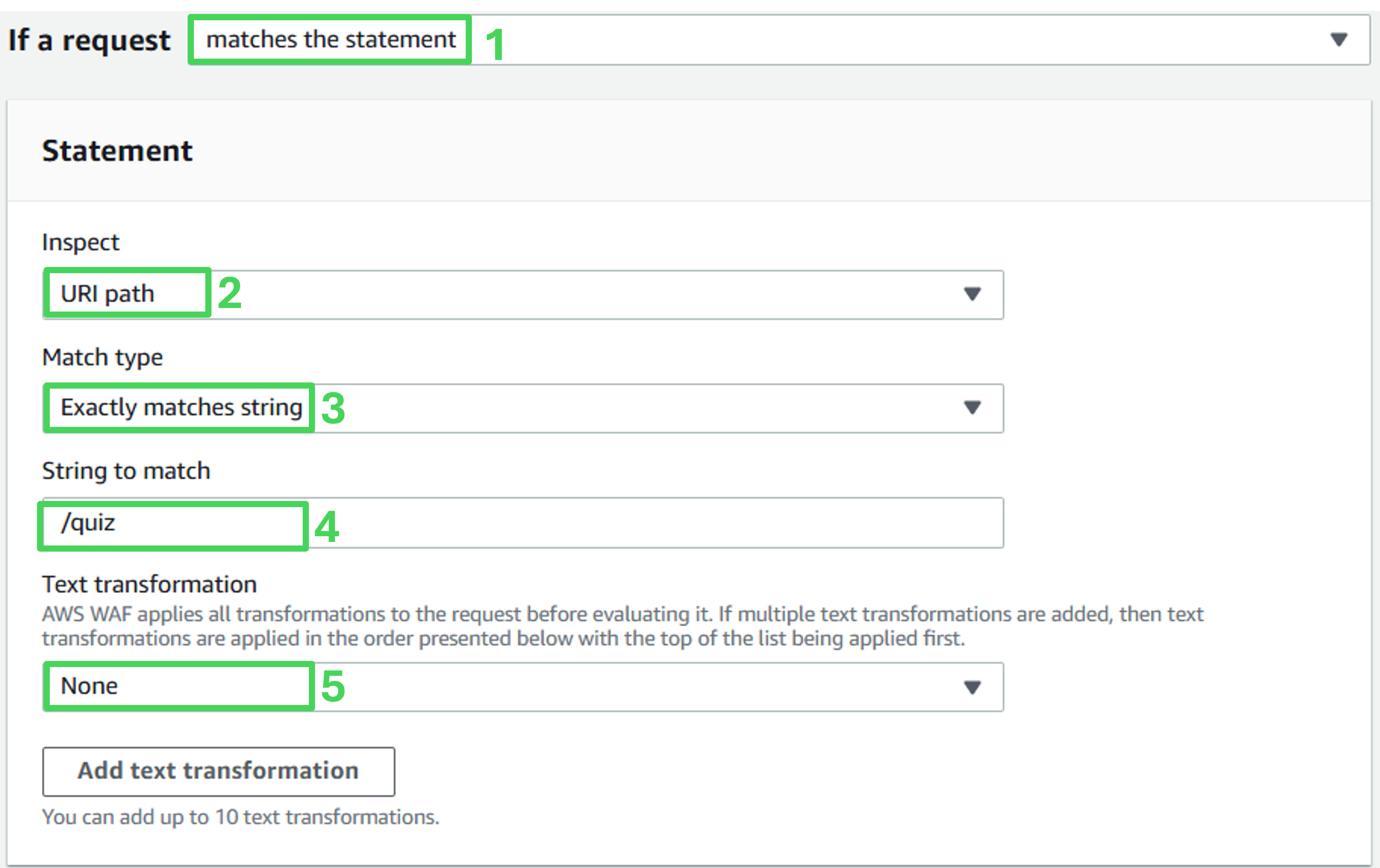
Statement
- If a request: Matches the statement
- Inspect: URI path
- Match type: Exactly matches string
- String to match: /quiz
- Text transformation: None
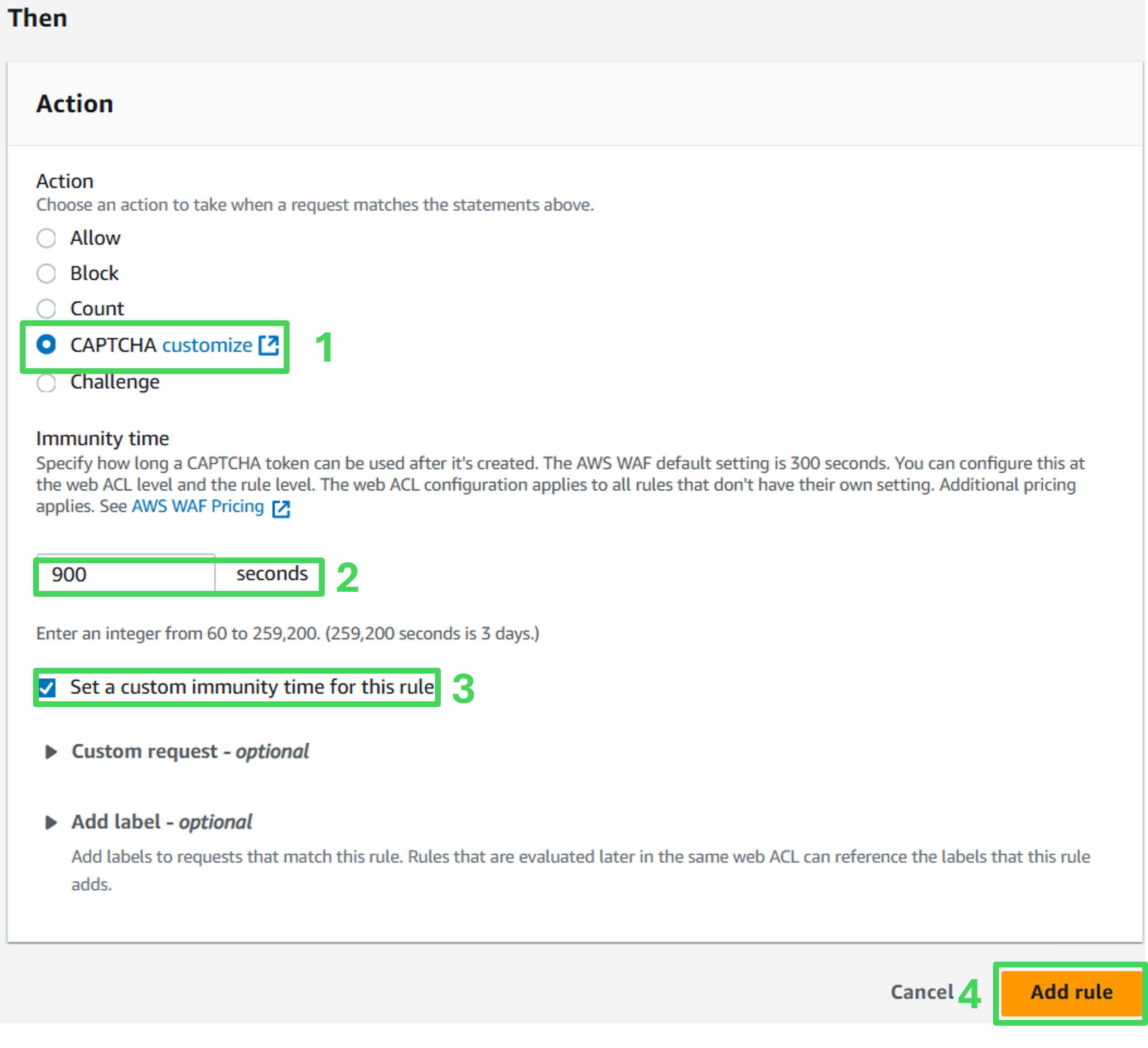
Then
- Action: CAPTCHA
- Check Set a custom immunity time for this rule
- Immunity time: 900 seconds
- Click on Add rules on the bottom of the page
Rule priority
- On the Set rule priority page, click on Save
- On the Rules tab, verify that the new custom rule is now listed (it may be on the 2nd rules page)
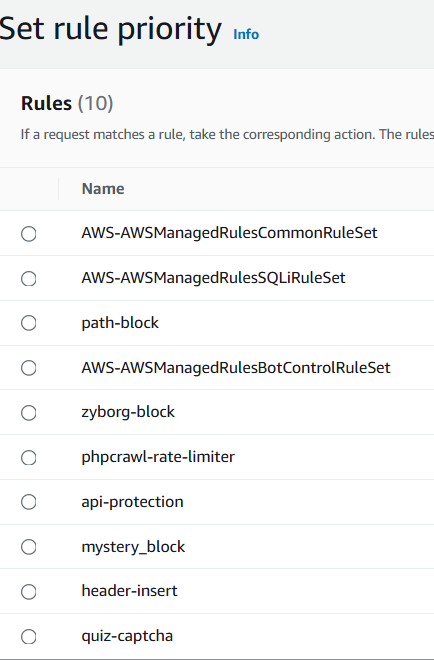
- You have successfully added the custom rule with CAPTCHA that only allows access from humans. You are now ready to give your newly form protection some test.
Evaluate protection effectiveness
Navigate to the Sample web application.
Click the link in the top right corner to open the AWS WAF Quiz .
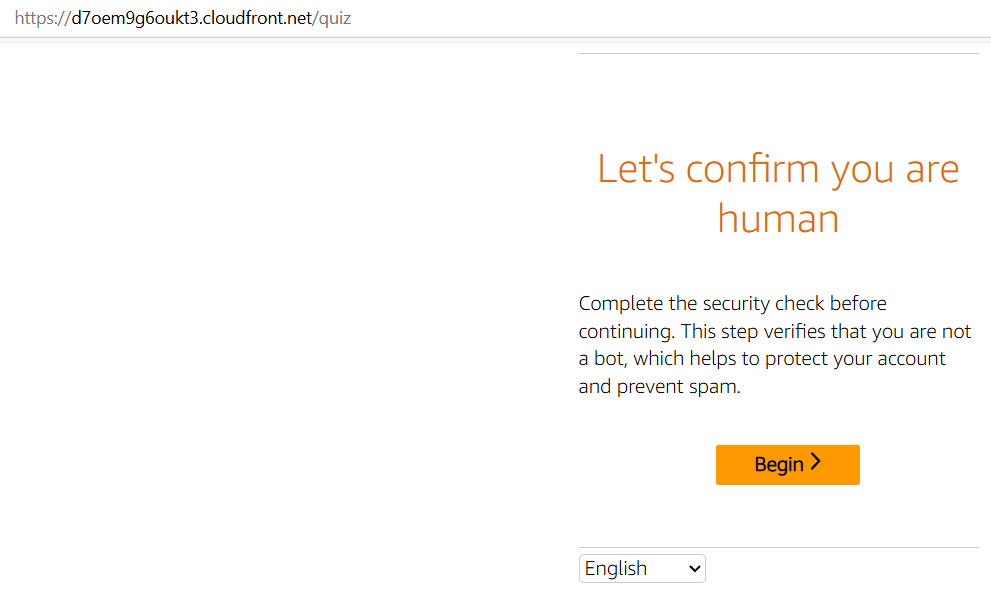
- You will come across a page asking you to confirm you are human. Solve the puzzle on the page.
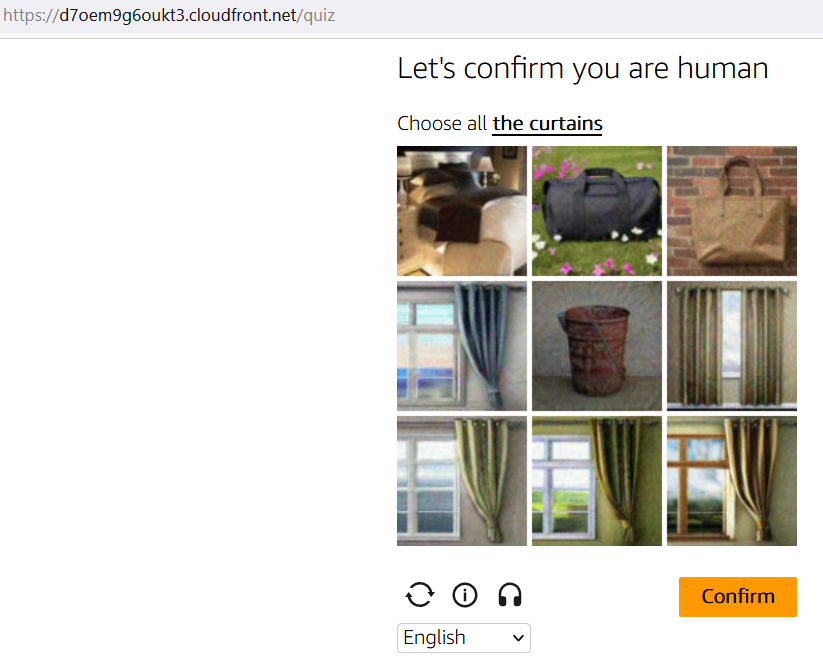
You will be briefly shown a Success message, then redirected to the Quiz page.
Solve the Quiz and click on the Submit button. You will be shown a pop-up message with the Quiz result.
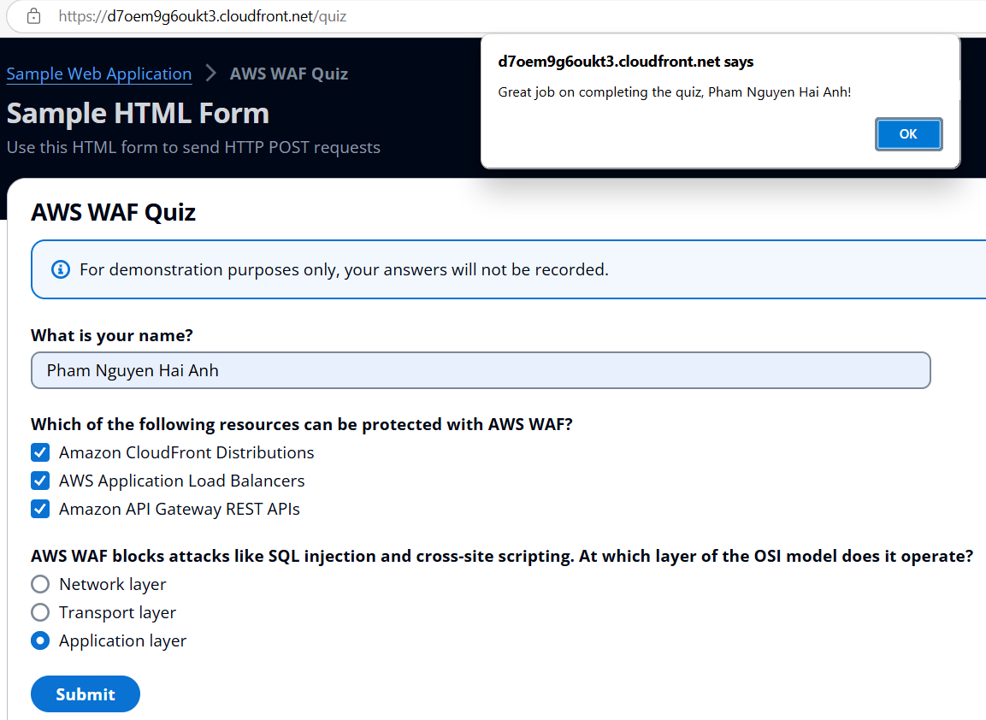
Congratulations! You have deployed AWS WAF CAPTCHA for a web form defense.