Create a CloudWatch Alarm for an AWS WAF Metric
Scenario
Your organization concerns are your partner’s use of web crawlers and the crawlers staying under rate-limiting rules. You are asked to setup an alerting system to notify you if the PHP crawler usage exceeds an specified threshold.
Instructions
First, we are going to create an SNS topic with no subscriber (there’s no need for setting up the email notification). Then, we’ll create a CloudWatch alarm to track the phpcrawl-rate-limiter rule. The alarm is triggered if any request is consistently blocked for 1 minute.
Verify your configuration by triggering rate limiting. The script’s excessive request should trigger the alarm (change the alarm state).
Procedure
Create an SNS topic
Note: You may see an error message referencing KMS permissions. You can safely ignore it as we do not use at-rest encryption features of SNS in this lab.
Find and navigate to Simple Notification Service (SNS) in the AWS console
Under Create topic, enter the name waf-alerts, then click Next step
Under Details, fill the following information in the blanks:
- Type: Standard
- Name: waf-alerts (should be pre-populated)
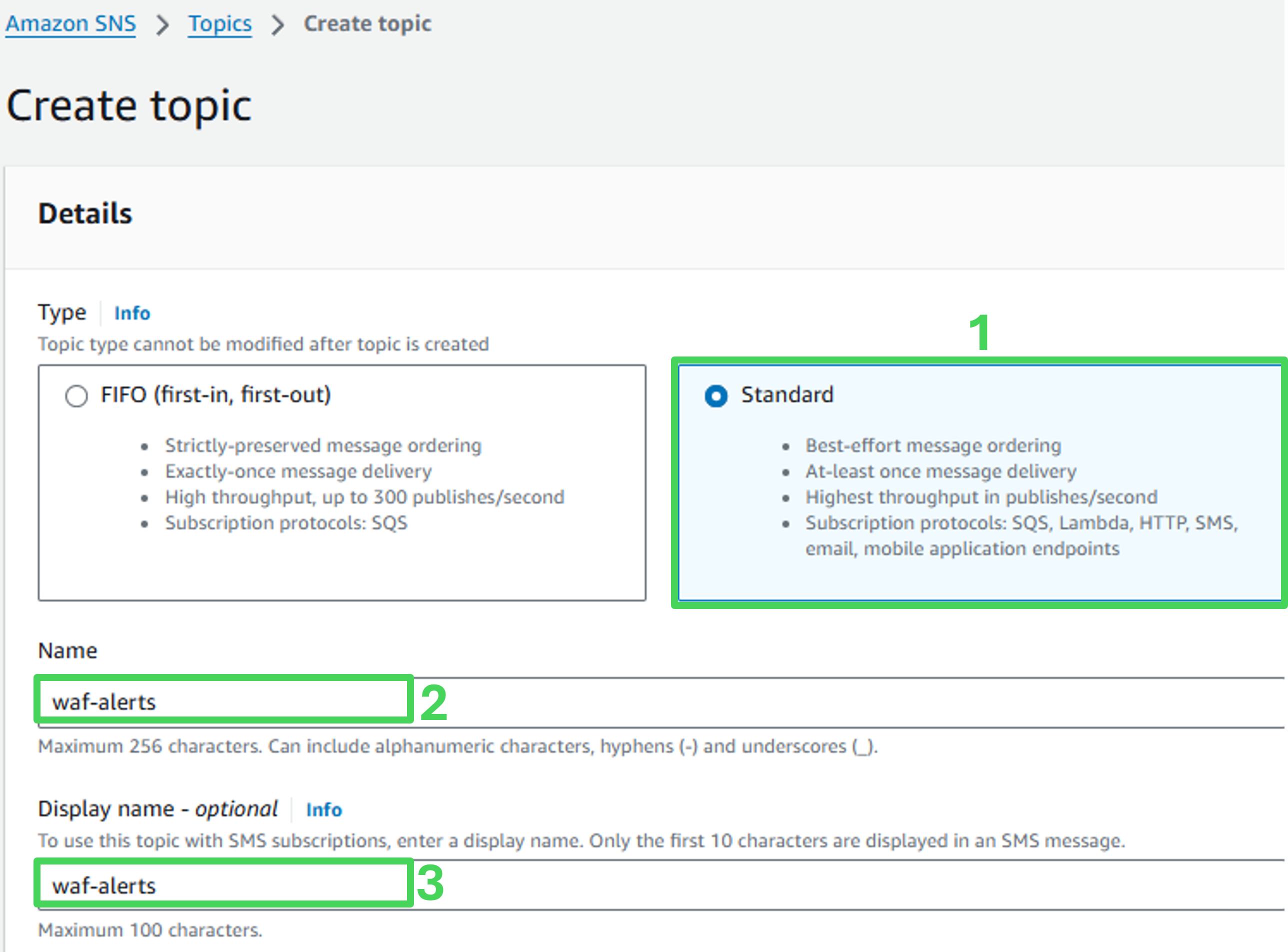
- Scroll down and click on Create topic
Create a CloudWatch alarm
Navigate to CloudWatch service in the AWS Console
Navigate to Alarms, All alarms
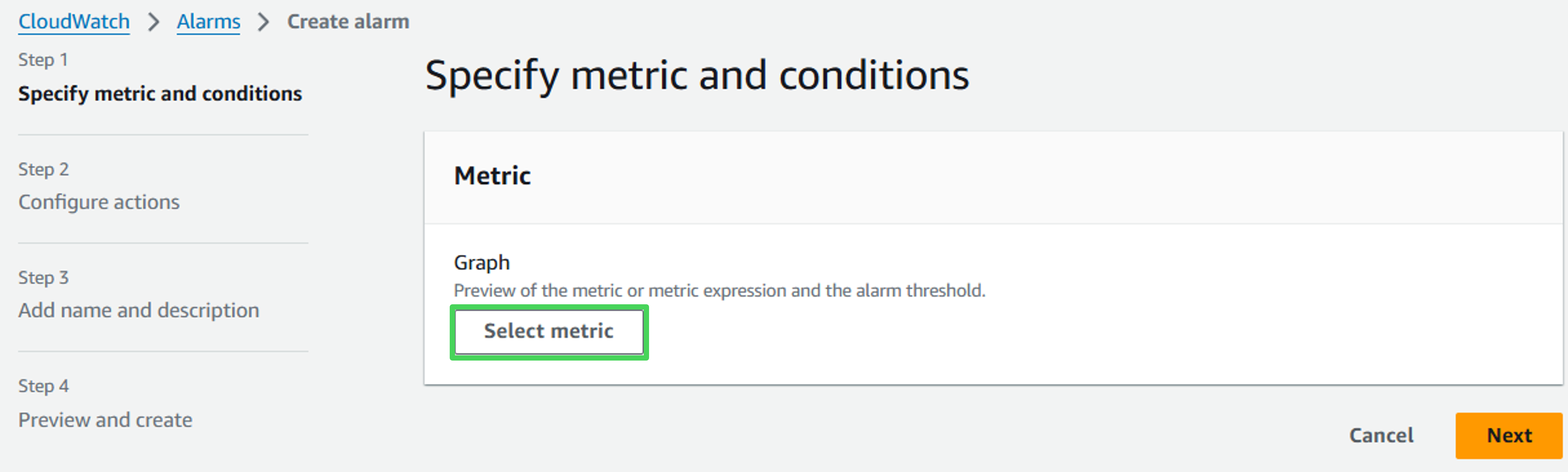
Click on Create alarm

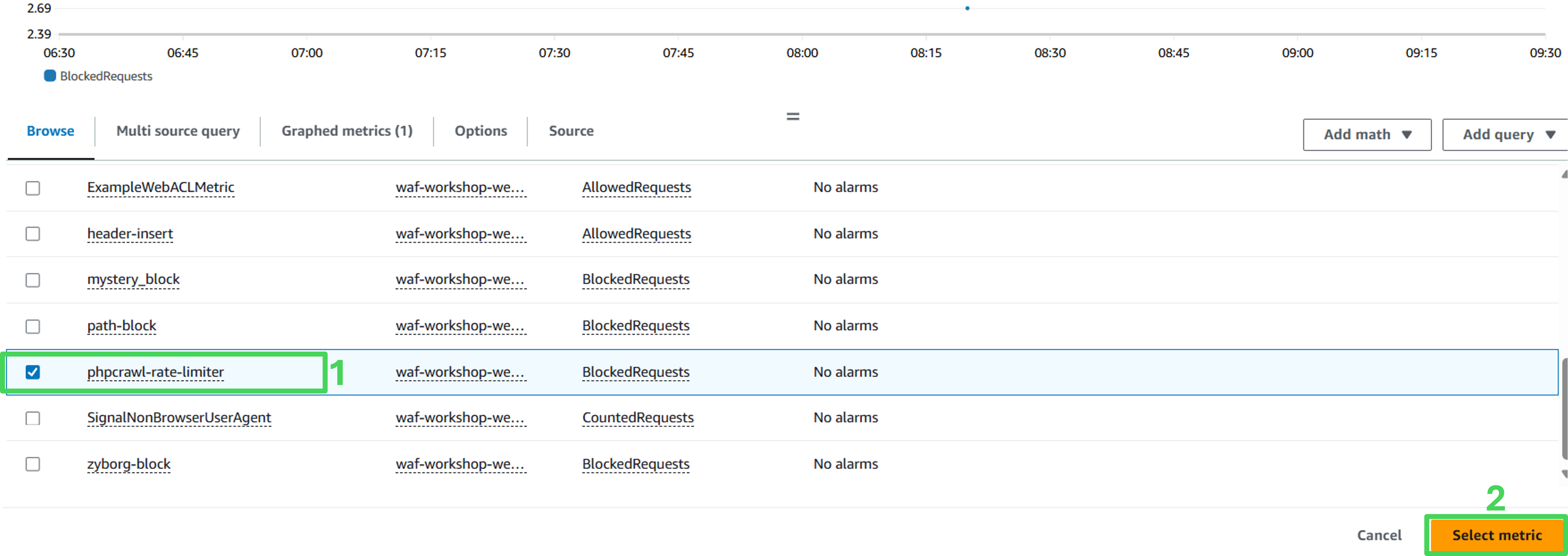
- In the “Create alarm”, click on Select metric
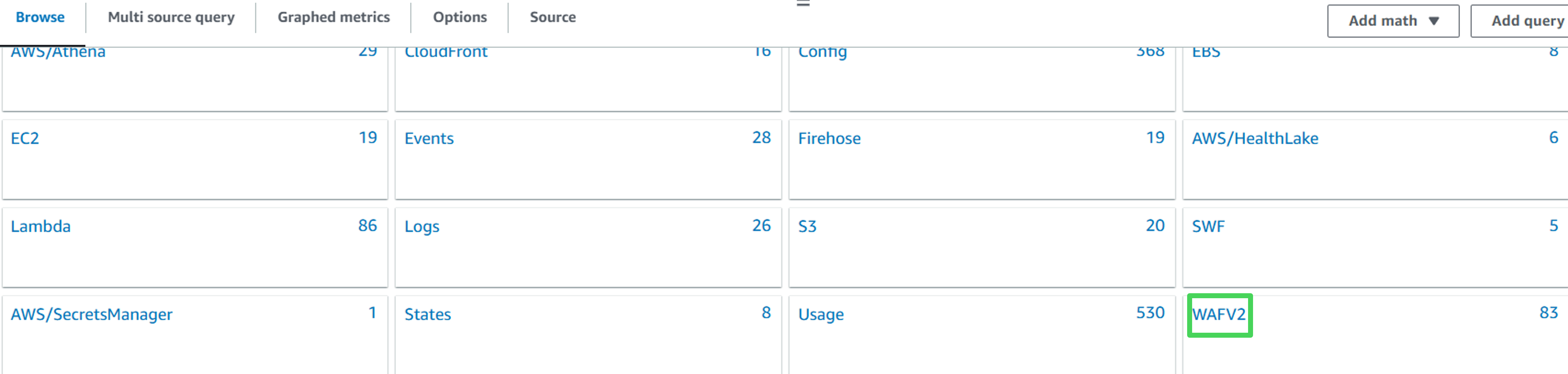
 5. Navigate to WAFV2, Region, Rule, WebACL
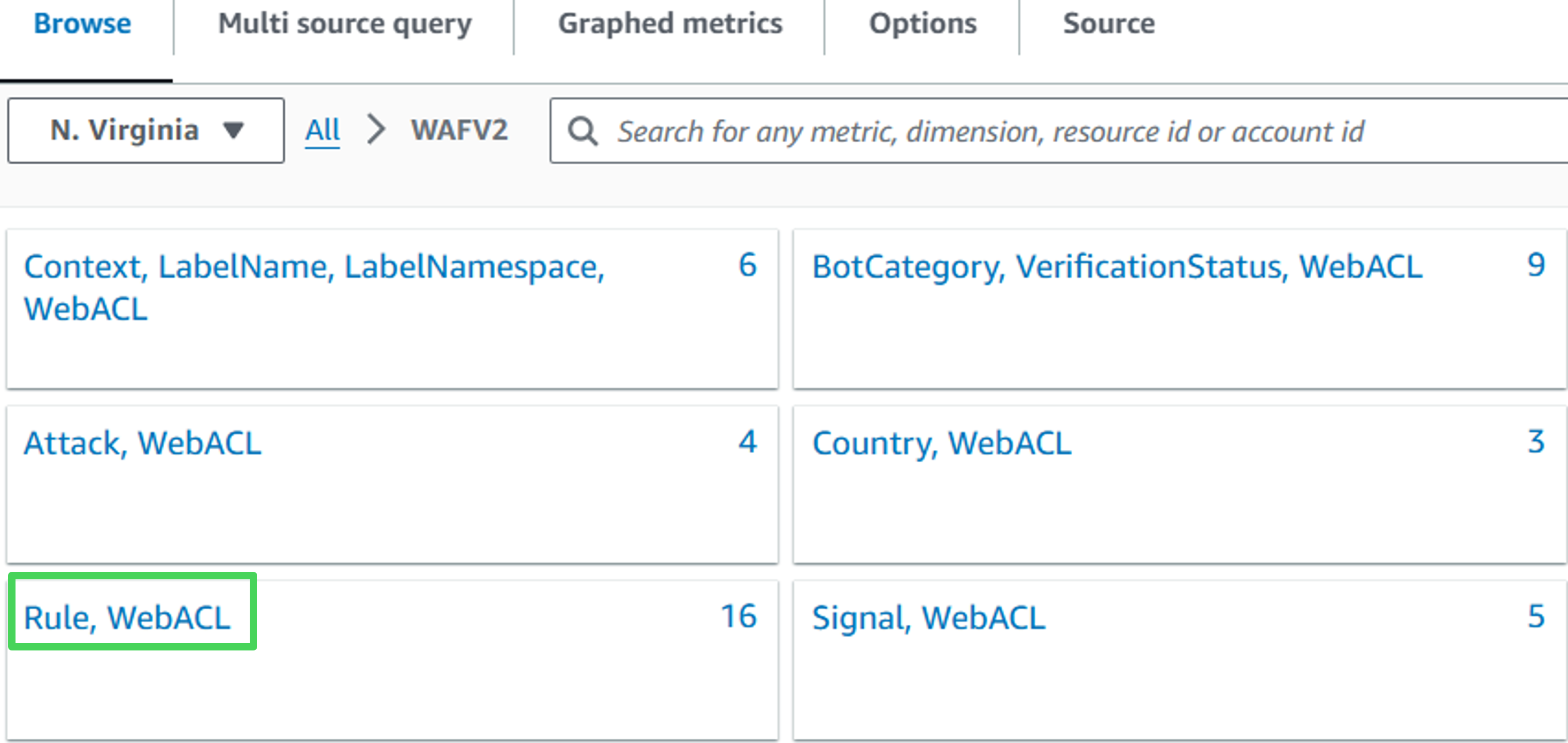
- Select this metric:
- Rule: rate-limiter
- Metric Name: BlockedRequests
- Click on Select metric
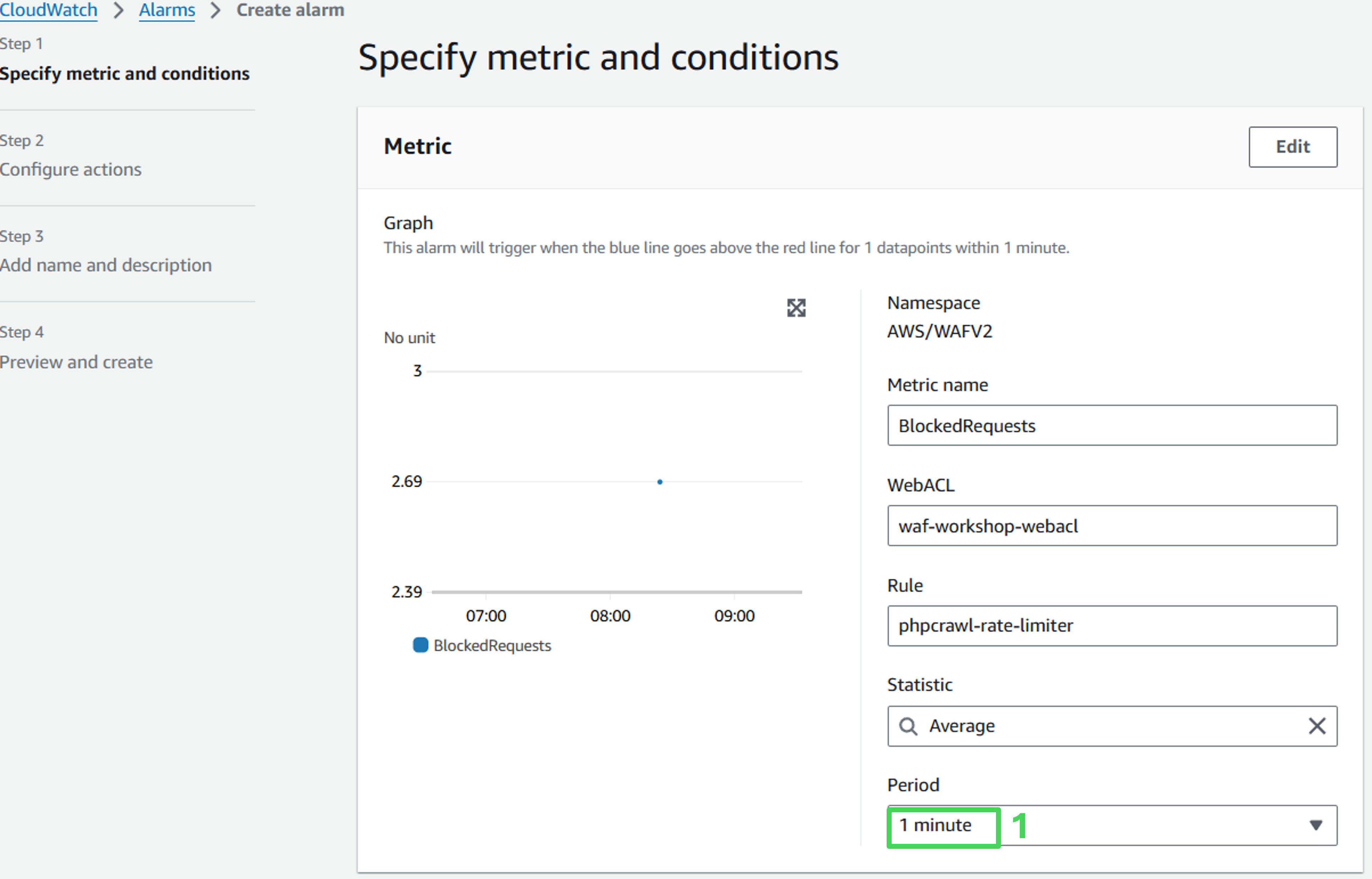
- In the next page, change Period down to 1 minute
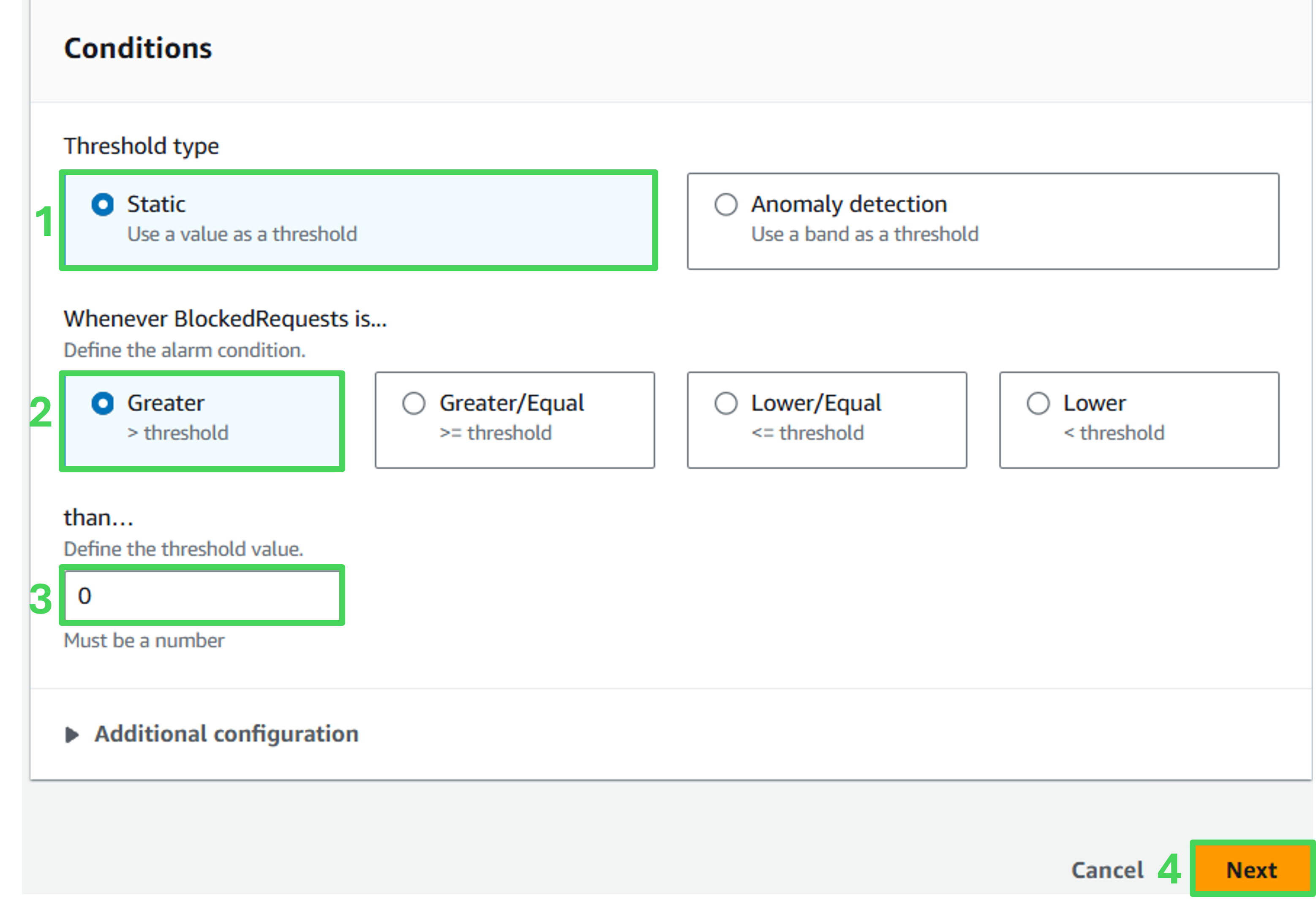
- Under “Conditions”, change than… field to 0, click Next
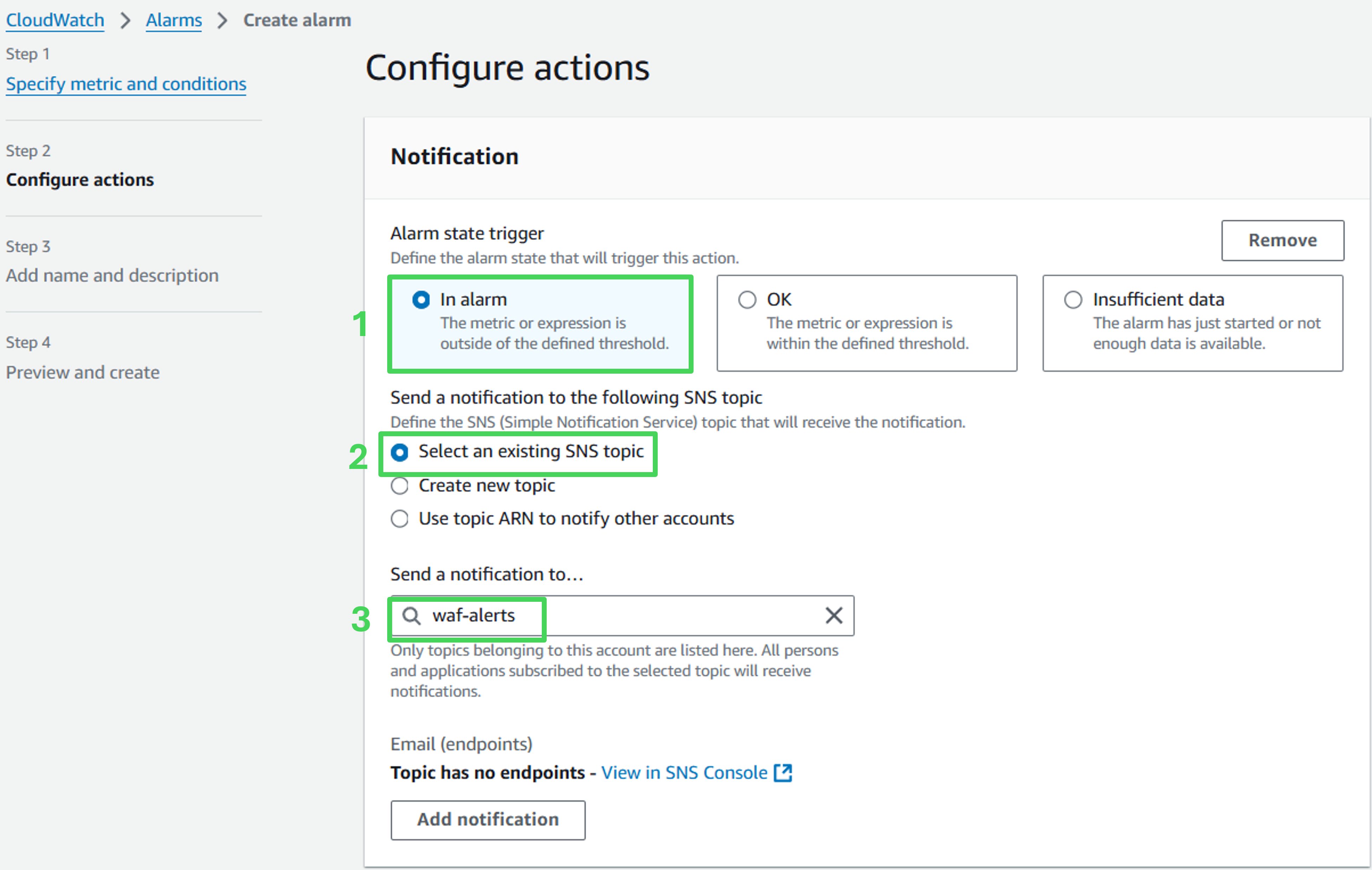
- Under Notification, click Add Notification and use the following values:
- Alarm state trigger: In alarm
- Select Select an existing topic
- Send a notification to…: waf-alerts
- Accept default values, scroll down and click on Next
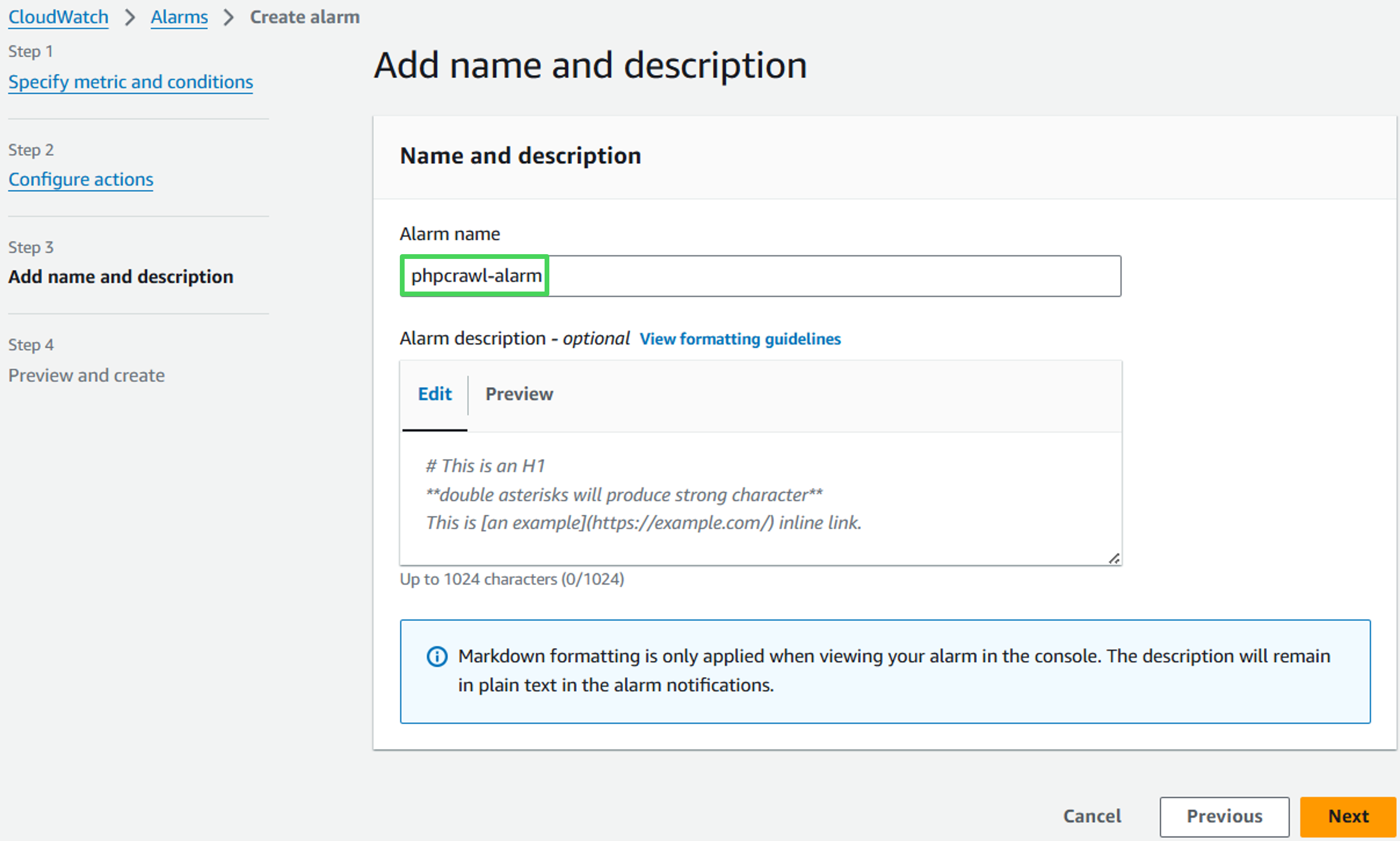
- Under Name and description enter crawler-alarm as alarm name and click Next
- On the Preview and create page, click on Create alarm
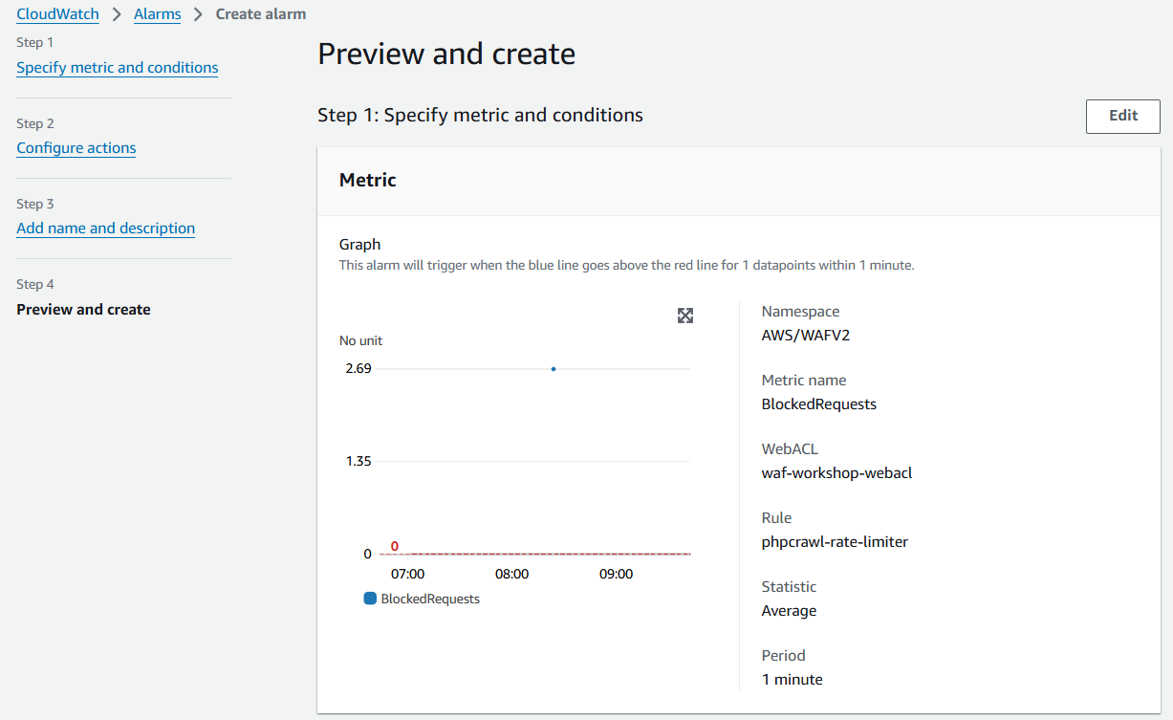
Verify the alarm configuration
This procedure will generate a large number of requests that will be recorded as Cloudwatch metrics, which will trigger the WAF rule for rate-limit. As the number of requests exceeds the limit, the alarm should be triggered
Trigger the alarm
- Go to the Event Outputs and find a link called Trigger Rate Limiting
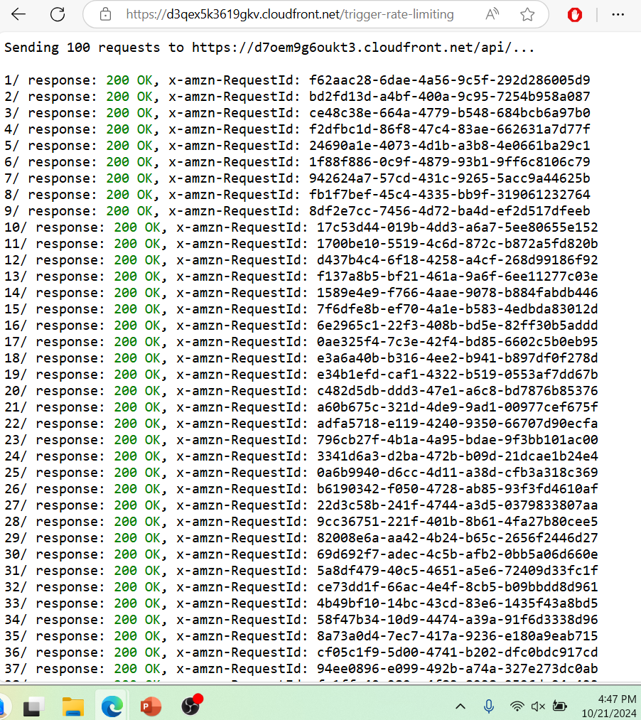
- The script will simulate an excessive number of requests to your test site, simulating the automated traffic
- Initially, requests will result in 200 OK responses
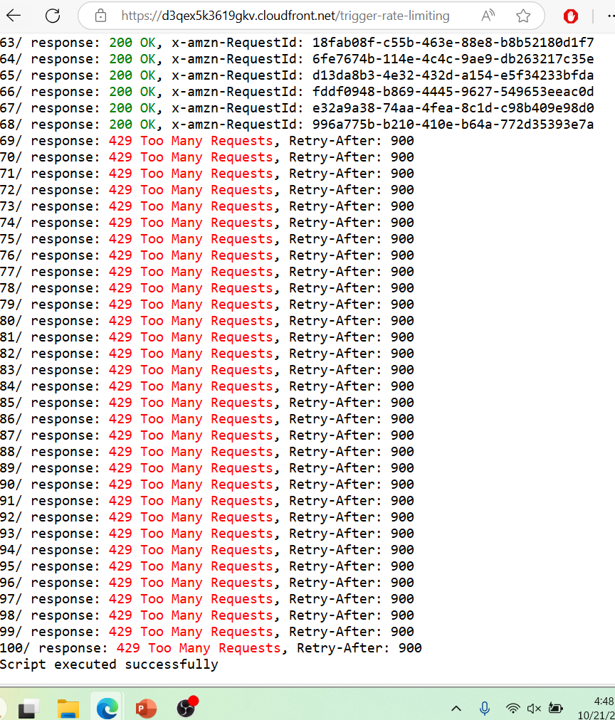
- When the rate-limiting rule is triggerred, requests will be blocked. You will receive 429 Too Many Requests responses instead.
 Verify in CloudWatch
It may take several minutes before the CloudWatch Alarms state changes into “In Alarm” from “Insufficient data”.
Navigate to CloudWatch service in the AWS Console
Click In alarm to view triggerred alarms
You should see the alarm you just created (Note: it may take 1-2 minutes for the transition to in-alarm state)
Click phpcrawl-alarm to get more details with a chart
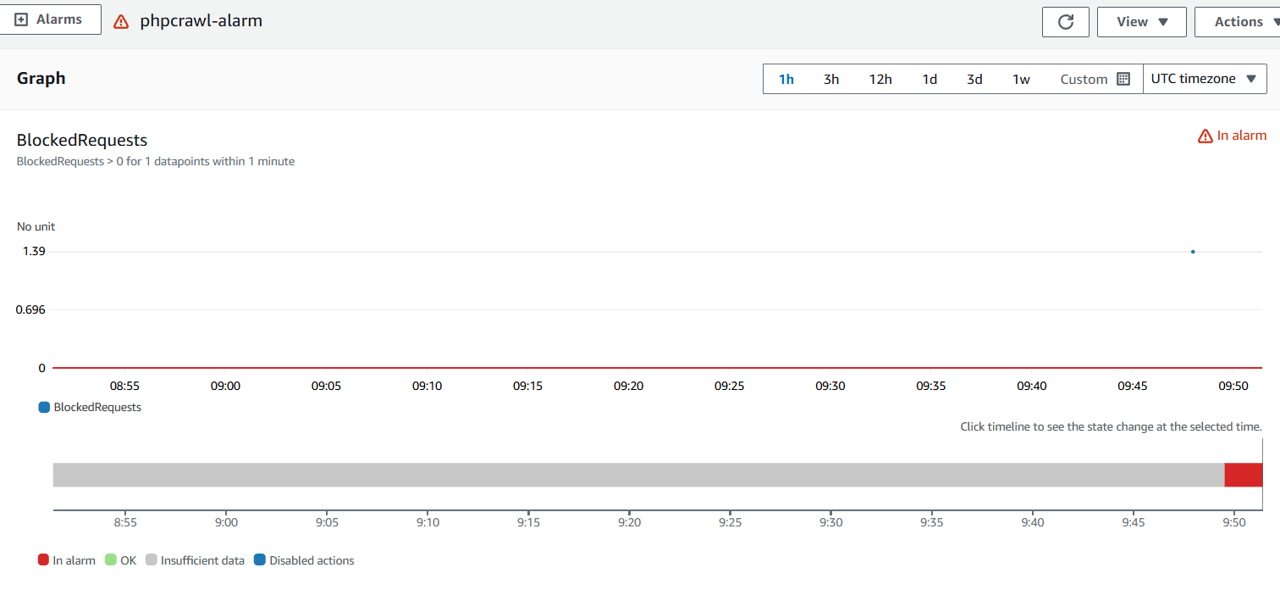
Congratulations! Your AWS WAF rule monitoring alarm has been successfully created. You’ll surely be notified whenever the rule is triggered.