Insert Custom HTTP Request Header
Scenario
The role of the Request Header Insertion feature is to assist the validation of requests made to the application checked by AWS WAF. The application can be configured to only allow requests containing the specified custom headers, or to have headers injected to process the requests in a different way, from the the header. It can also be configured to simply log the header in your application logs that may be used for reports and analytics.
There are no verification steps in this exercise.
Instructions
Use the request header insertion feature of AWS WAF. Verify the presence of the inserted headers with Amazon CloudWatch Logs.
Procedure
Insert Custom Header:
In Web ACL, check the Rules tab
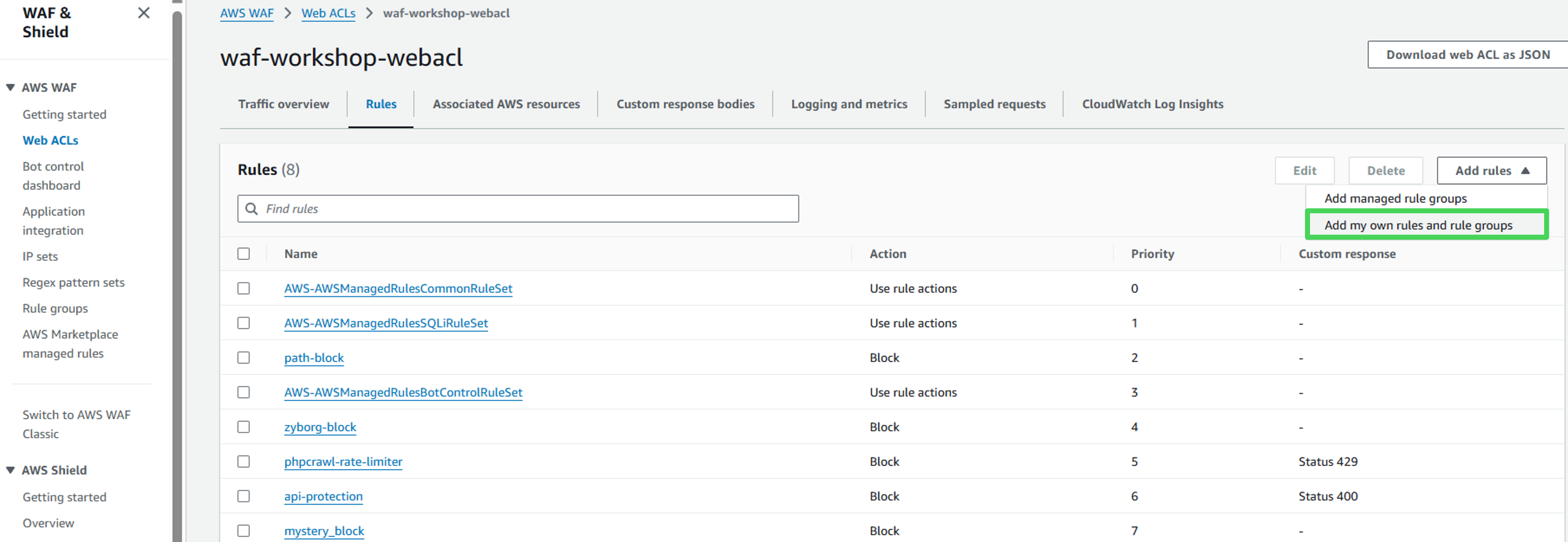
Click on Add Rules and select Add my own rules and rule groups
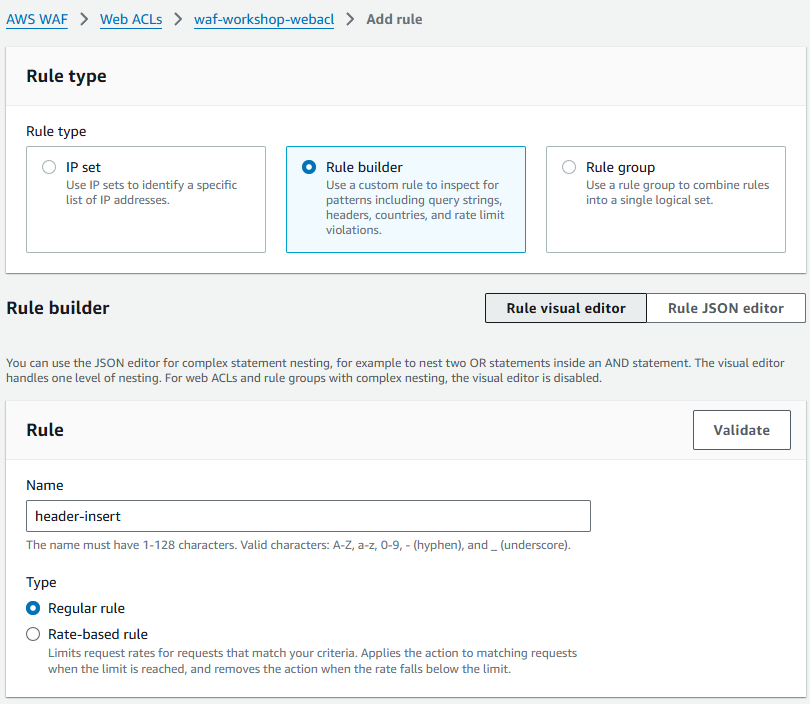
Enter the following Rule details:
- Rule type: Rule builder
- Rule: header-insert, regular rule
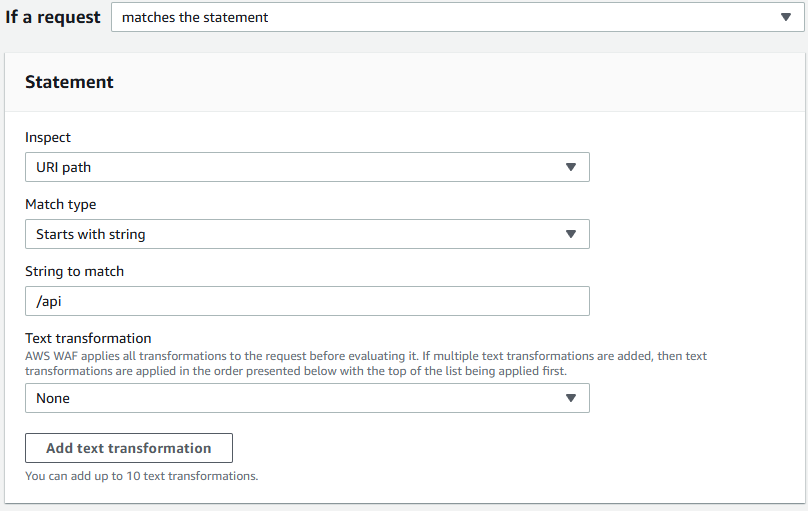
 Statement
- If a request: Matches the statement
- Inspect: URI path
- Match type: Starts with string
- String to match: /api
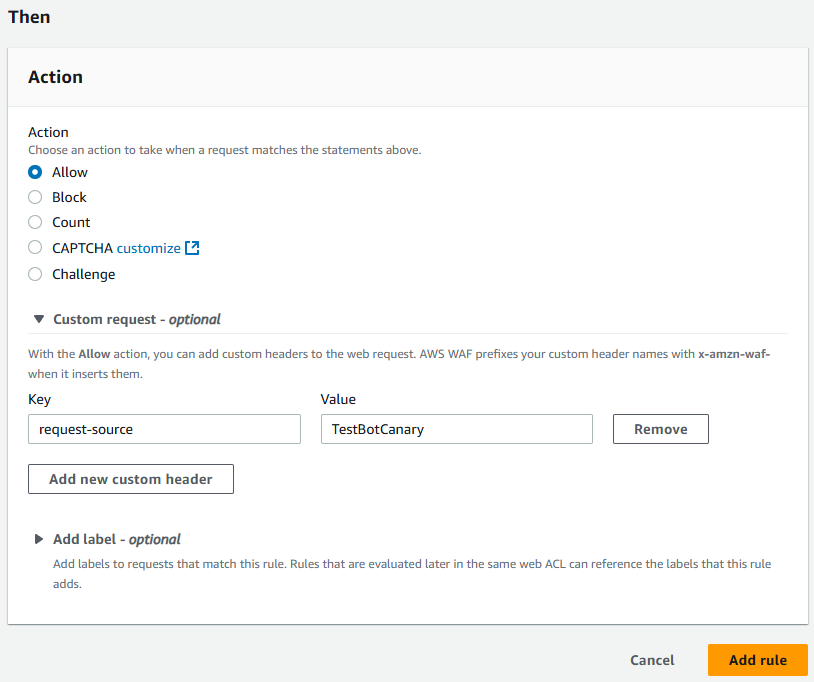
Then
- Action: Allow
- Custom request - optional: Key/Value: request-source, TestBotCanary
- Click on Add rule on the bottom of the page
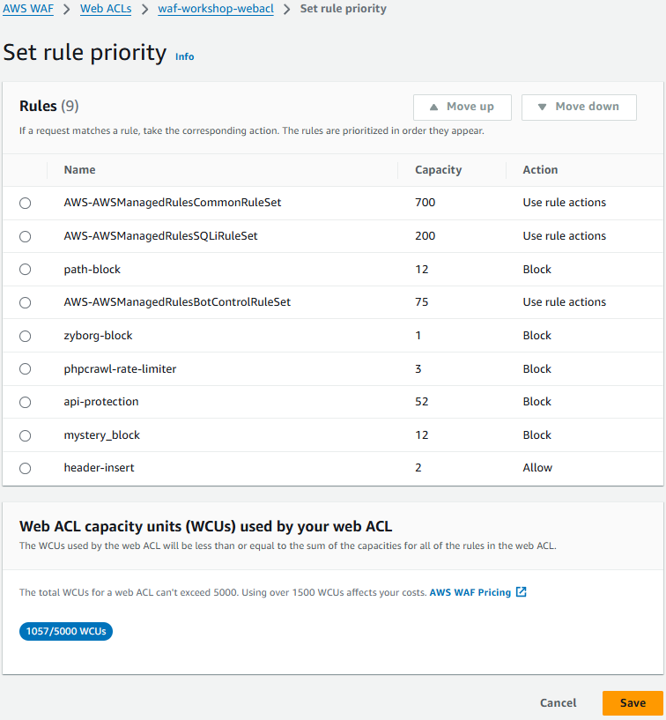
 Rule priority
- On the Set rule priority page, click on Save
- On the Rules tab, verify that the new custom rule is now listed
- You have completed adding the custom rule that inserts the custom header.
Congratulations! You have successfully configured custom header insertion.