Block Mystery Test
Scenario
A few requests generated by the automated scanner have the mystery-hint header. Your mission is to identify and decode the value of that header and block future requests that have that header.
Instructions
You will use Amazon Athena to go inside the AWS WAF logs and look for the value of the mystery-hint header in the requests. As its value is base64 encoded, the text must be decoded for you to retrieve the value. You will then build a custom WAF rule with appropriate statements to block the mystery-hint header value (consider text transformation that may be required).
After that, you’re going to validate your rule by reviewing the automated test dashboard passed by the MysteryTest automated scan. If the remediation tasks are finished, the last tile on the WAF Dashboard My Progress tab will turn to green! after you complete this exercise.
Procedure
Switch to Amazon Athena Workgroup
This section can be skipped if you are already logged in and have switched to the waf-workshop workgroup of the Amazon Athena console.
Switch to waf-workshop Athena workgroup
Navigate to the Amazon Athena Console
In the workgroup dropdown, select waf-workshop
If the settings popup appears, click on Acknowledge to proceed further
Find the value of the Mystery Hint
Parse AWS WAF logs to find the value hidden in the mystery-hint header with Amazon Athena query.
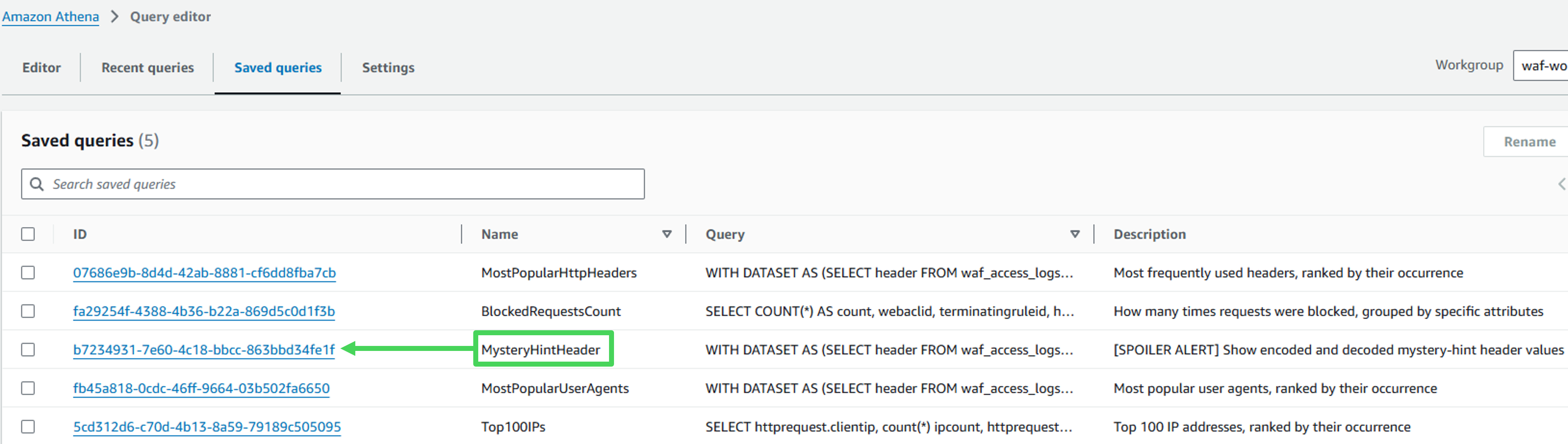
- Navigate to Saved queries tab and choose MysteryHintHeader query.
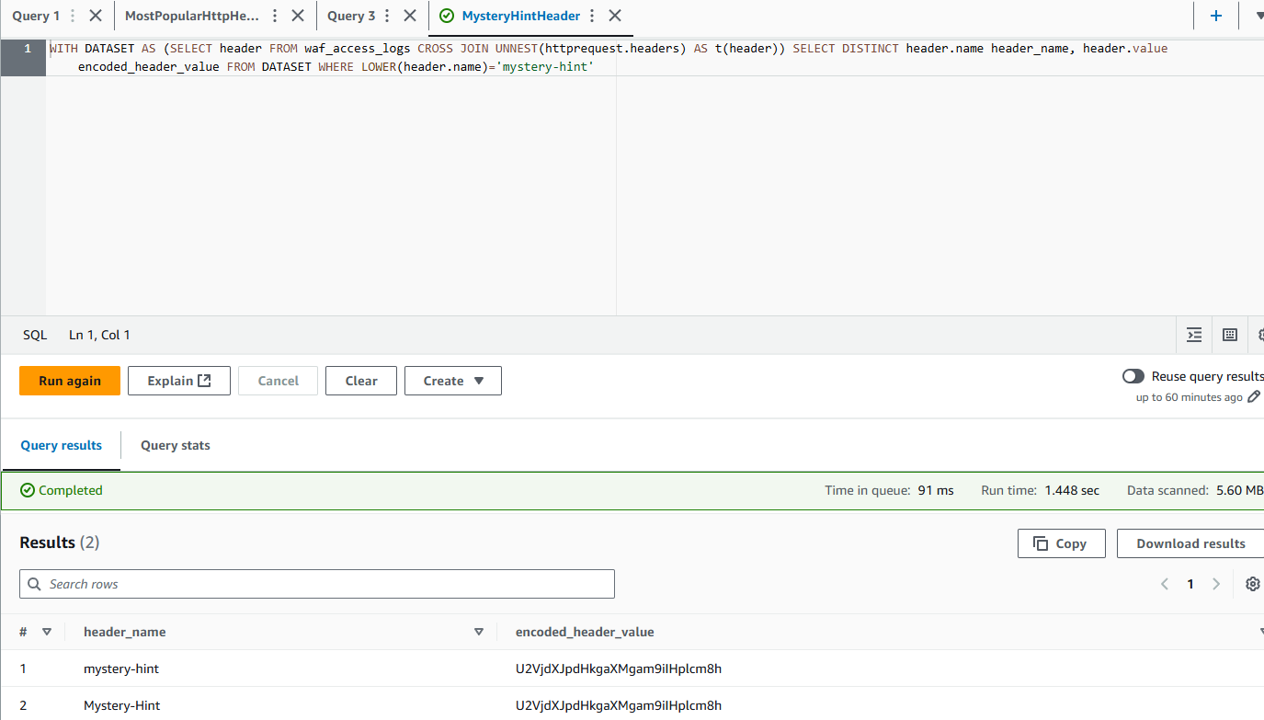
- Run the query to retrieve the encoded value of the header. Note that this is the Base64-format encoded value of the
mystery-hintheader
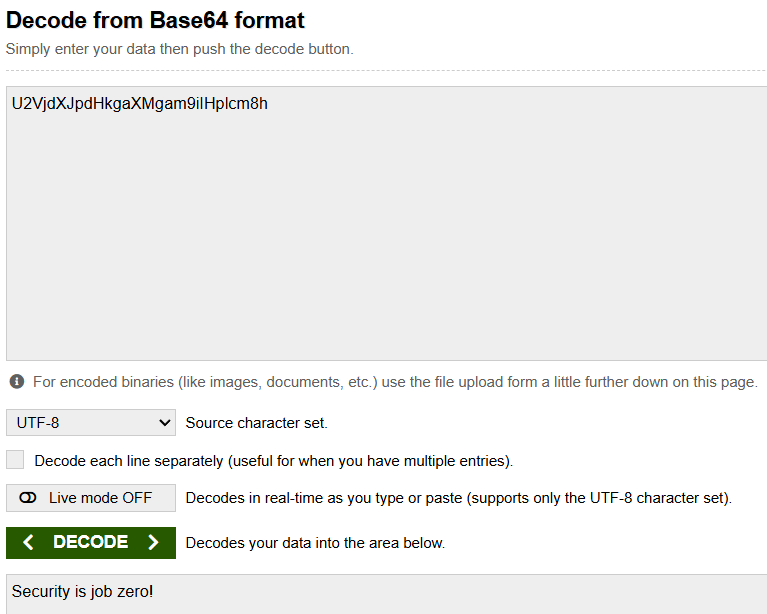
 3. You are allowed to use any method and tool to decode the value. Next section shows you how to decode using Amazon Athena’s built in functions. For this step, we suggest https://www.base64decode.org/, where you can enter the encoded value and receive its decoded form.
Decode the value of the Mystery Hint
To decode the header value, the following query uses two Athena functions: from_base64() and from_utf8(). You may want to read more about supported functions in the Athena User Guide.
Click on the + symbol to start a new Amazon Athena query
Rewrite the previously used Saved query MysteryHintHeader by copying it over to a new Query with additional lookup of the decoded value of the
mystery-hintheader:
from_utf8(from_base64('<encoded value>'))
If you need help with the query, you can have a look at the hint below:
Query Hint
WITH DATASET AS (SELECT header FROM waf_access_logs CROSS JOIN UNNEST(httprequest.headers) AS t(header))
SELECT DISTINCT header.name, header.value as encoded_header_value, from_utf8(from_base64(header.value)) as decoded_header_value
FROM DATASET
WHERE LOWER(header.name)='mystery-hint'
- Run the query to retrieve the header value
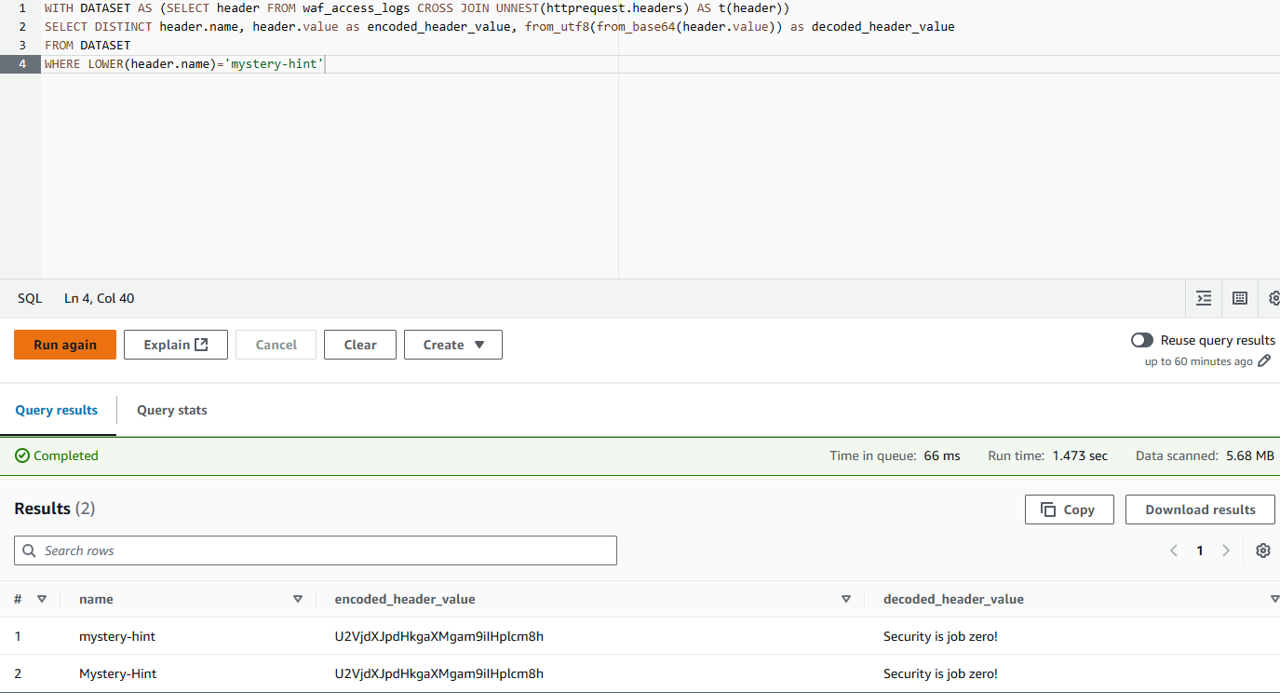
- Save the decoded value for later - you will leverage that in the next section to create a blocking rule
Block the Mystery Test
Using your newly acquired knowledge the last exercises, now you go to build a custom WAF rule to block MysteryHint header with the right statement. Suggestion:
- Which part should be inspected?
- Which Match type should be specified?
- Which Text transformation should be used?
- Try to create the custom WAF rule on your own
- if you want to be helped, please take a look at the hint below
Blocking the Mystery Test
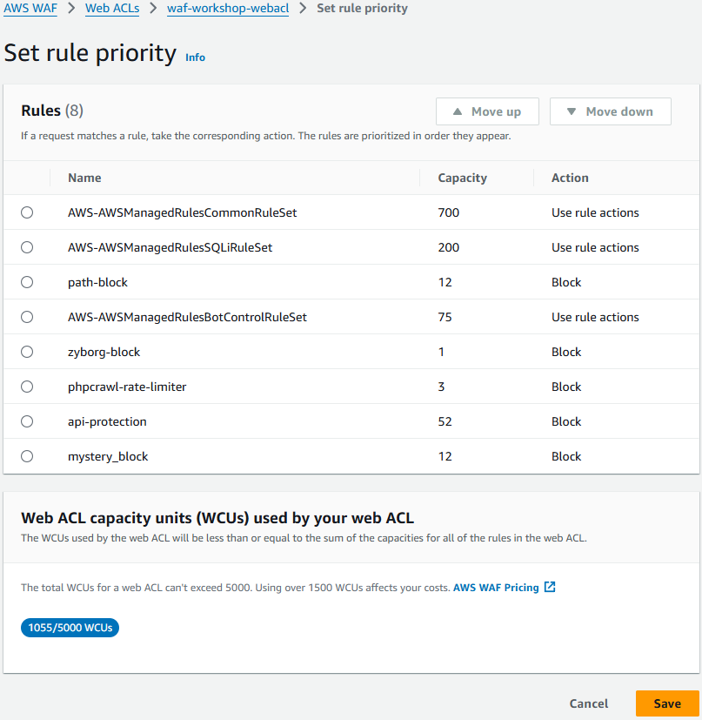
In the “Set rule priority” section, click Save.
Validate your Mystery Test block
You may want to get back to the dashboard and verify that MysteryTest, along with the other automated tests, are passed. Refer to the Evaluate section for instructions. For this test, there would be no manual scan built.
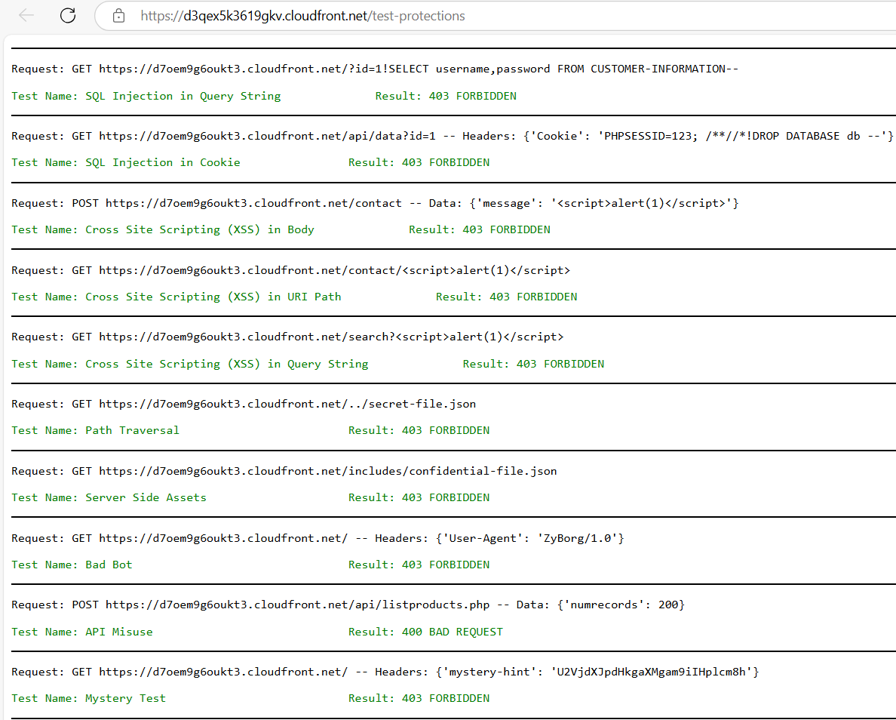
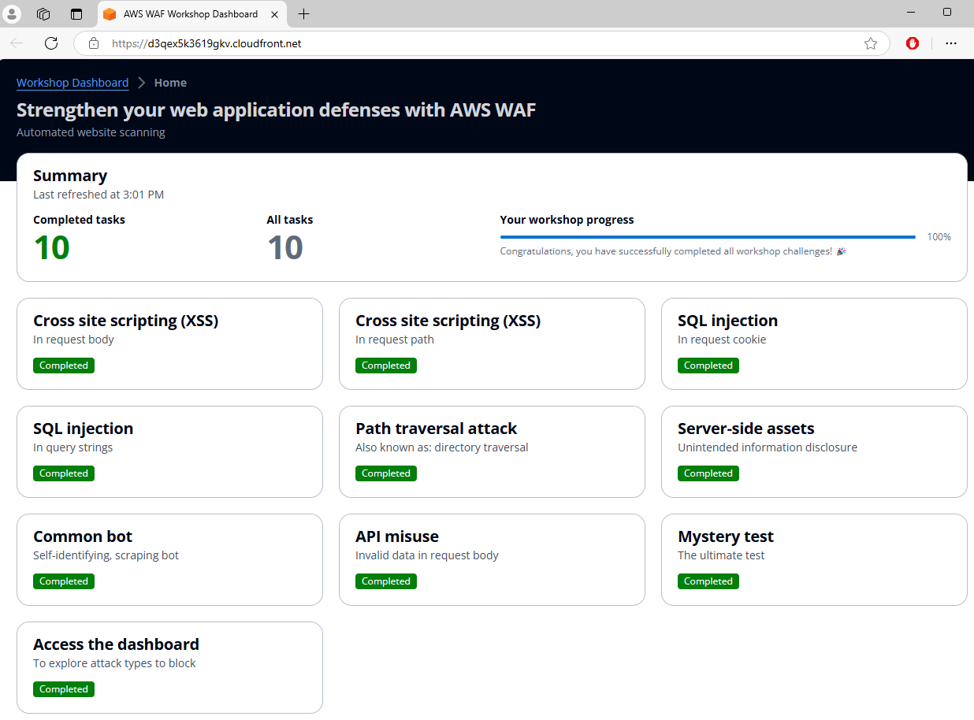
Congratulations! You have successfully blocked the Mystery Test by using AWS WAF log data.