Investigate AWS WAF Logs
Scenario
We have learned how AWS WAF provides CloudWatch metrics for monitoring and alerts setting. Yet, to troubleshoot specific issues, we often need more than just those metrics and examinations of the raw data are required. Comprehensive information about request traffic processed by your Web ACL is in AWS WAF logs. Now you will be guided to leverage these logs for in-depth investigations.
Instructions
To explore AWS WAF logs, we will use a service called Amazon Athena. AWS WAF log is enabled. Besides, Amazon Athena table named waf_access_logs pointed to the logs in S3.
To start off, we need to identify the most common HTTP headers in the requests. After that, we are going to look for the rules that are blocking the most requests and the URI paths of the blocked target. We will then find rules which are preventing access to the API located at /api/listproducts.php. Finally, we will find out which URI paths are blocked by the Core Rule Set and which paths are blocked by the custom WAF rules that block paths that you created.
Procedure
Investigate AWS WAF Logs with Amazon Athena Queries
In this workshop, AWS Glue database, Amazon Athena workgroup, and Athena queries have been reconfigured. You will explore how to switch to the correct Amazon Athena workgroup and accessing the queries.
Open Amazon Athena in the AWS Console: https://console.aws.amazon.com/athena
In the workgroup dropdown, select the waf-workshop workgroup name

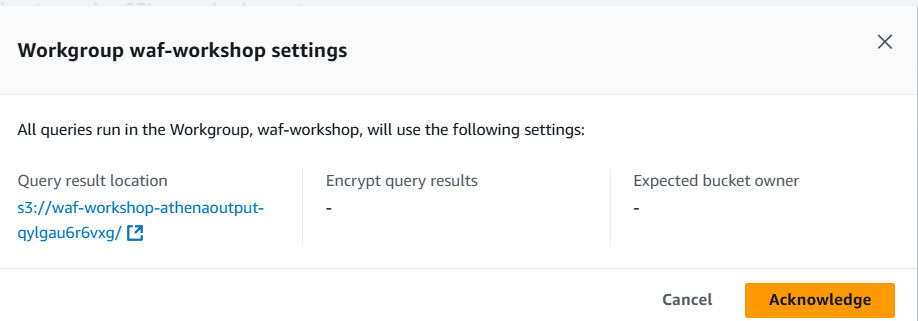
You will be presented with a settings popup. Click on Acknowledge to move on to the next step.
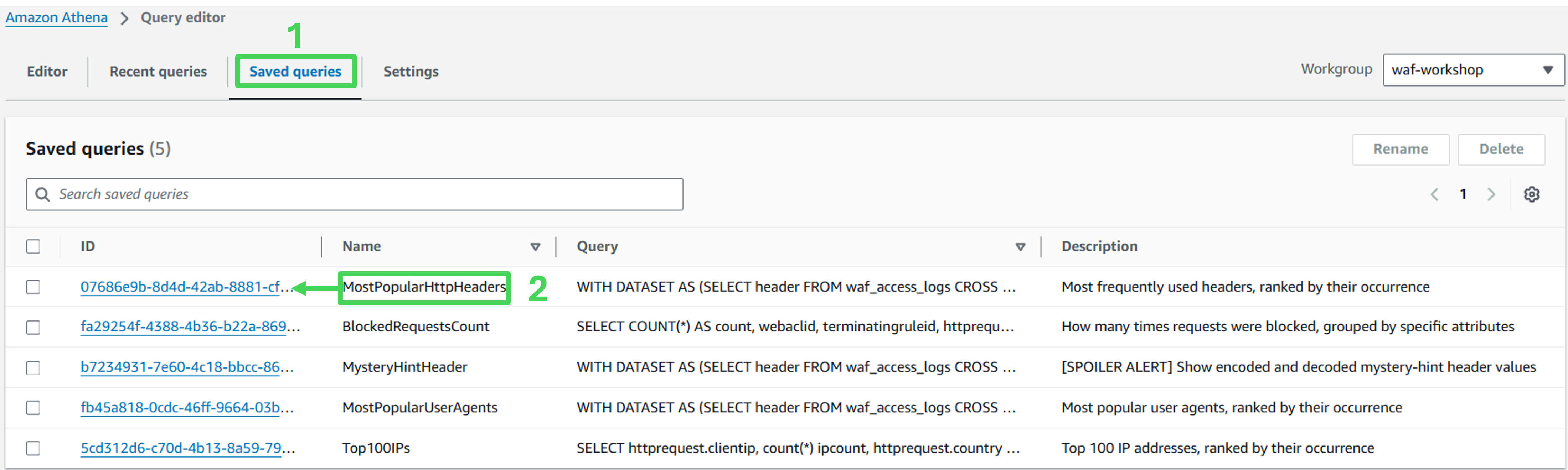
Go to the Saved queries tab
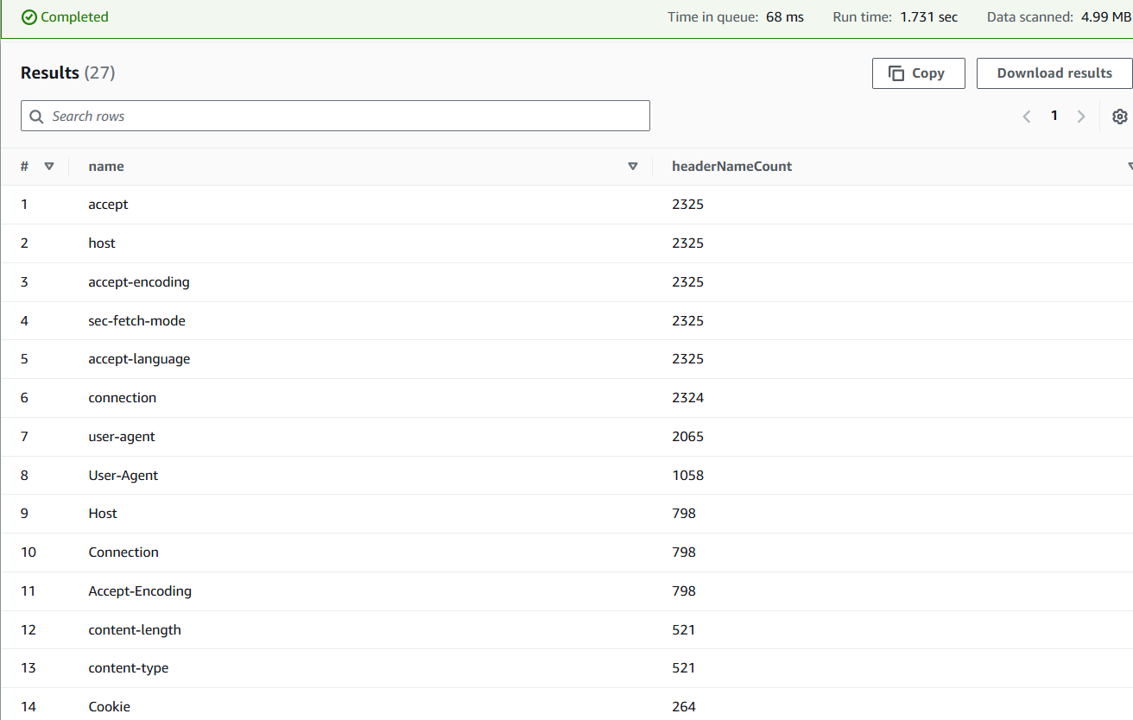
Click on the ID of the Saved Query called MostPopularHttpHeaders to open it.
- Run the query
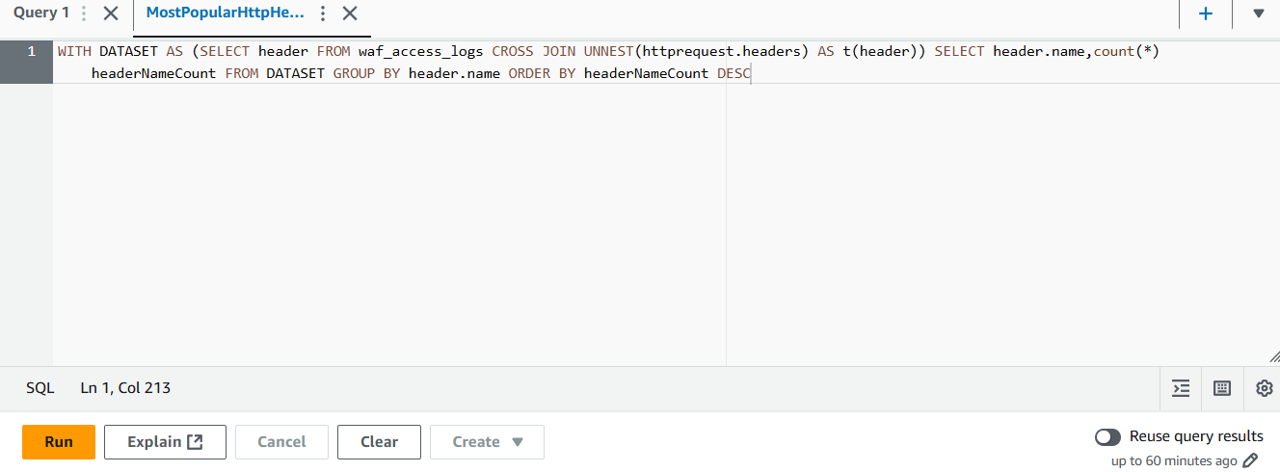
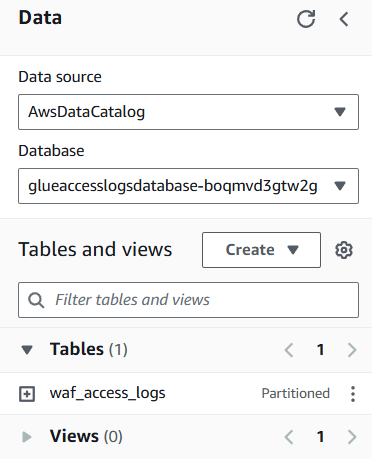
After running the query and fail, you will be returned with the error “TABLE_NOT_FOUND: line 1:37: Table ‘awsdatacatalog.default.waf_access_logs’ does not exist”.

When that happens, make sure the database name is glueaccesslogsdatabase-* that has a table named “waf_access_logs”
This query provides us with some brief informationn on which HTTP Headers are being passed and their frequency. We expect to see different values in your results, which depend on how many and which requests were sent and logged.
Investigate blocking rules
It’s a common tasks for WAF administrators to understand the impact of WAF on specific parts of your site. You will now use a custom query to identify which WAF rules are blocking requests and which specific URI paths are their targets.
Click on the + symbol to start a new Amazon Athena query
Copy the following query and paste it into the new query window:
SELECT COUNT(*) AS count, terminatingruleid, httprequest.clientip, httprequest.uri
FROM waf_access_logs
WHERE action='BLOCK'
GROUP BY terminatingruleid, httprequest.clientip, httprequest.uri
ORDER BY count DESC
LIMIT 100
- Modify the said query to find out which rules are blocking requests to the API located at /api/listproducts.php. Try to modify the SQL query on your own first. If you need help, see the hint below.
Query Hint
SELECT COUNT(*) AS count, terminatingruleid, httprequest.clientip, httprequest.uri
FROM waf_access_logs
WHERE action='BLOCK' AND httprequest.uri = '/api/listproducts.php'
GROUP BY terminatingruleid, httprequest.clientip, httprequest.uri
ORDER BY count DESC
LIMIT 100
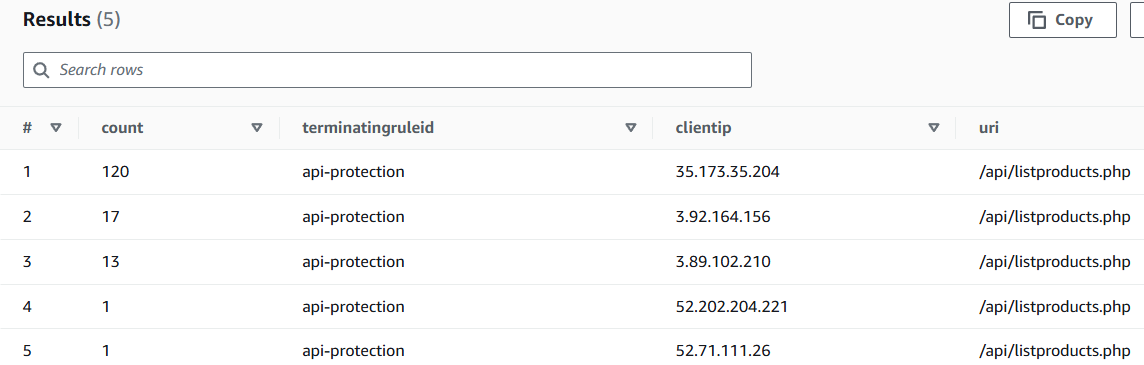
Find which requests is blocked and how often it is
- Run the following query to identify requests that were blocked by the Common Rule Set
SELECT COUNT(*) AS count, action, httprequest.clientip, httprequest.uri
FROM waf_access_logs
WHERE terminatingruleid='AWS-AWSManagedRulesCommonRuleSet'
GROUP BY action, httprequest.clientip, httprequest.uri
ORDER BY count DESC
LIMIT 100
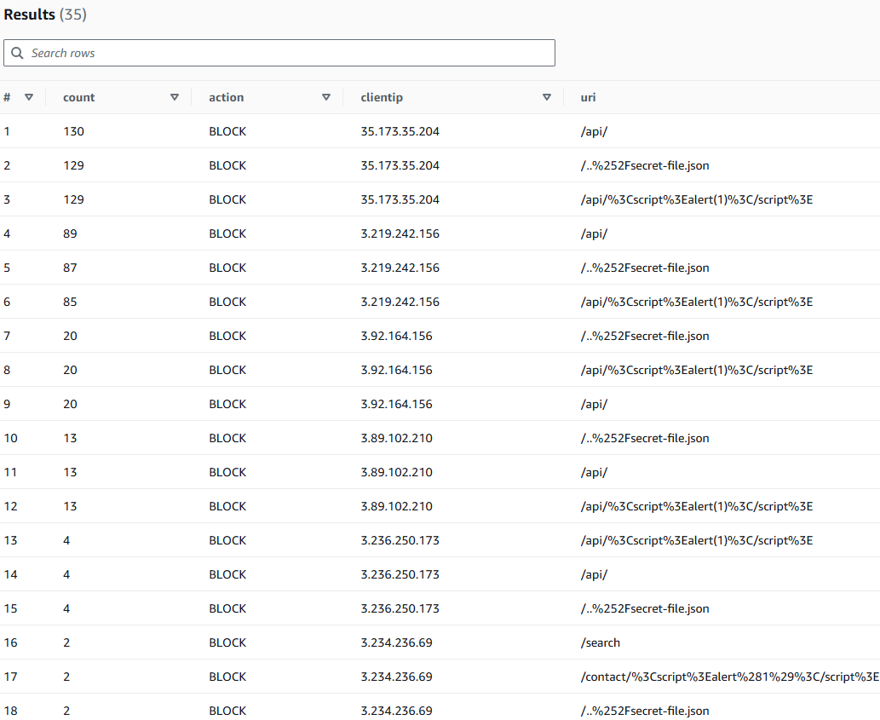
- Modify this query to find out requests blocked by the path-blocking rule protecting the /includes directory (the custom rule you created in the remediate phase). You may want to try modifying the SQL query yourself. However, you can see the code block below for a hint.
Query Hint
SELECT COUNT(*) AS count, terminatingruleid, action, httprequest.clientip, httprequest.uri
FROM waf_access_logs
WHERE action='BLOCK' AND httprequest.uri LIKE '/includes/%'
GROUP BY action, httprequest.clientip, httprequest.uri, terminatingruleid
ORDER BY count DESC
LIMIT 100
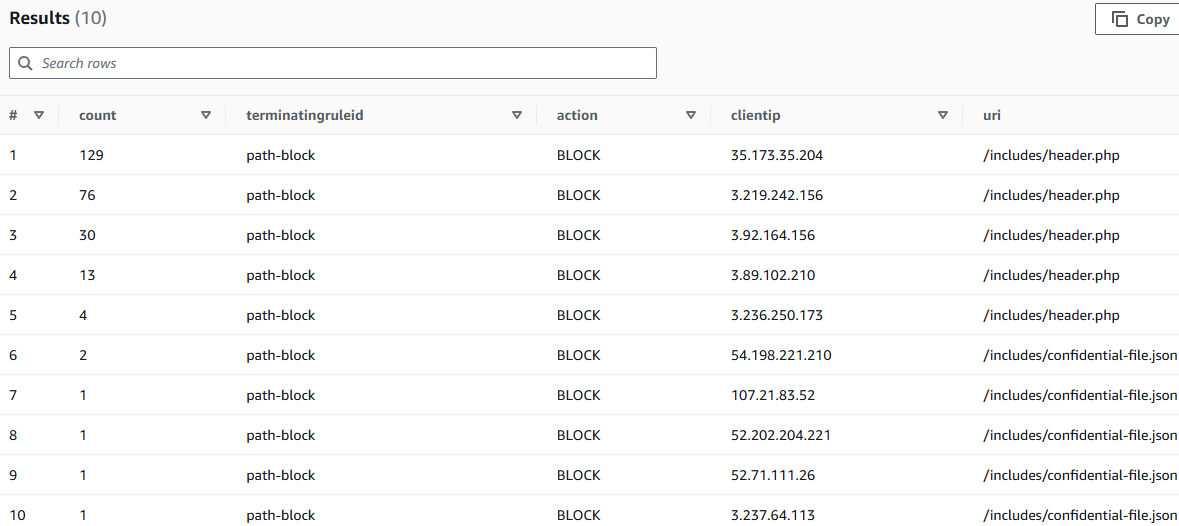
Congratulations! You have learned more details on blocked requests through AWS WAF log data.