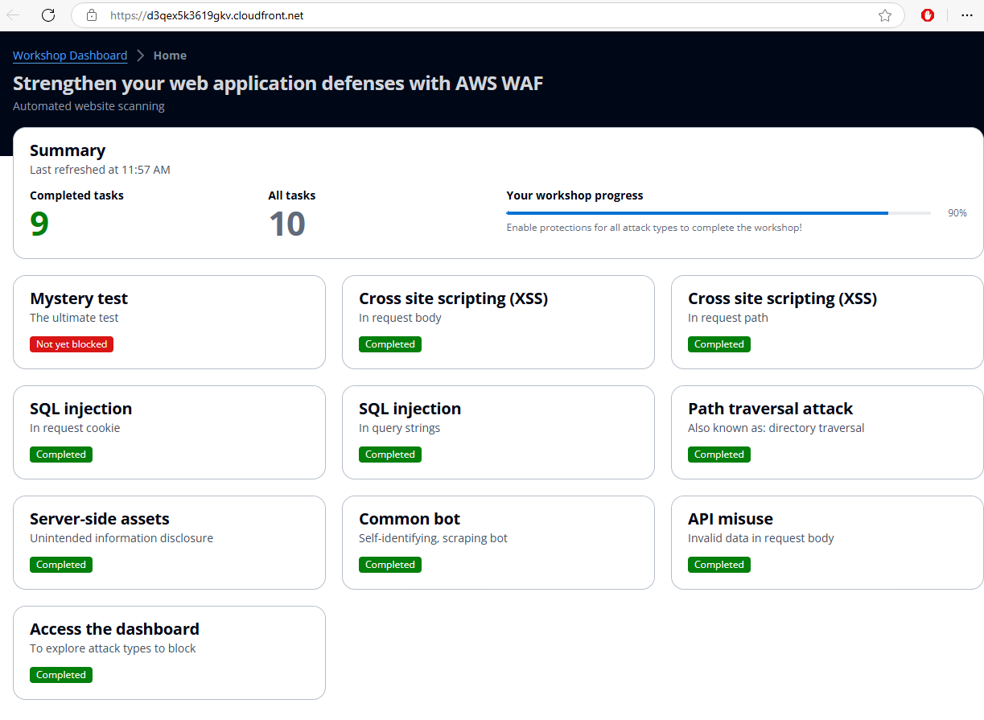
Protect APIs with Request Body Parsing
Scenario
Your business has developed an API that allows partners to retrieve a product list, with a maximum limit of 100 products per request. To enhance security, a WAF protection layer needs to be added. Your task is to configure the protection to allow only valid JSON requests and ensure that the numrecords value is within the range of 1 to 100.
Valid JSON example for this API:
{ "numrecords":"25" }
Only requests with valid JSON syntax and a numrecords value between 1 and 100 will be accepted. The API is available at the path /api/listproducts.php. Requests that fail validation must be rejected with an HTTP 400 response code.
Instructions
First, create a regex pattern to validate the value of numrecords (1-100):
^0*(?:[1-9][0-9]?|100)$
Then, create a WAF rule consisting of two statements:
- Check the URI path of the request (must match /api/listproducts.php).
- Verify that the JSON body has a valid syntax and that the numrecords value matches the regex pattern.
Procedure
The procedure below is longer and more complex than the previous sections. Please pay close attention to the steps outlined below.
Create the Regex Pattern Set
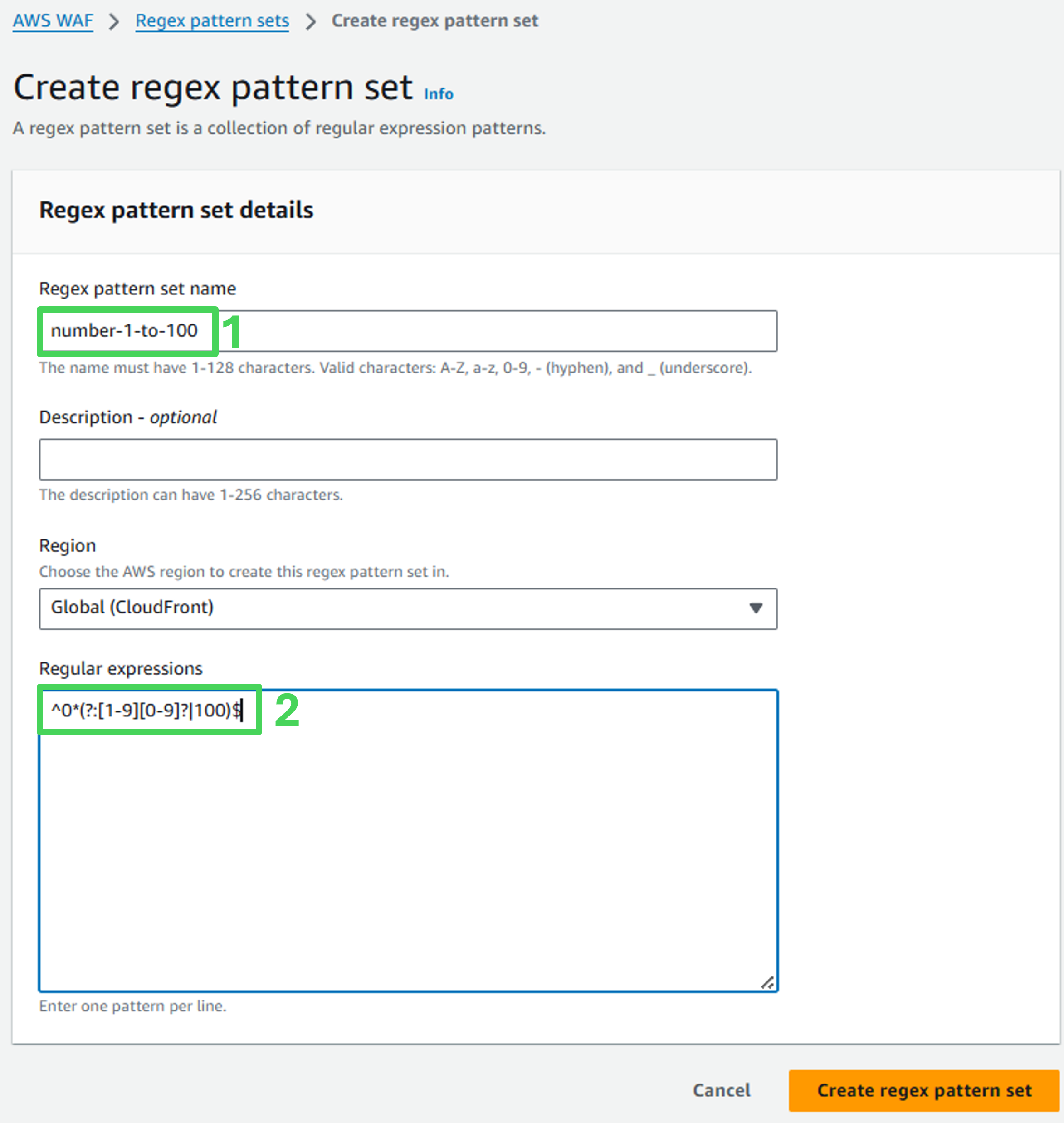
Create a regex pattern set that matches numbers 1-100:
Navigate to the Regex pattern sets section in WAF.
Select Create regex pattern set.
Regex pattern set name: number-1-to-100
Regular expressions: ^0(?:[1-9][0-9]?|100)$*
Click Create regex pattern
Create the WAF Rule
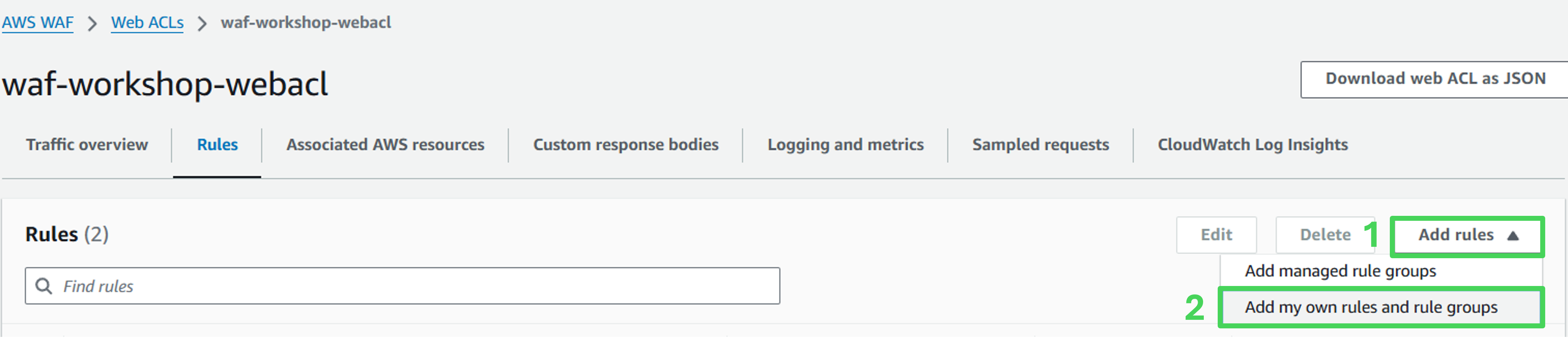
In the Web ACL, navigate to the Rules tab.
Select Add Rule.
Select Add my own rules and rule groups.
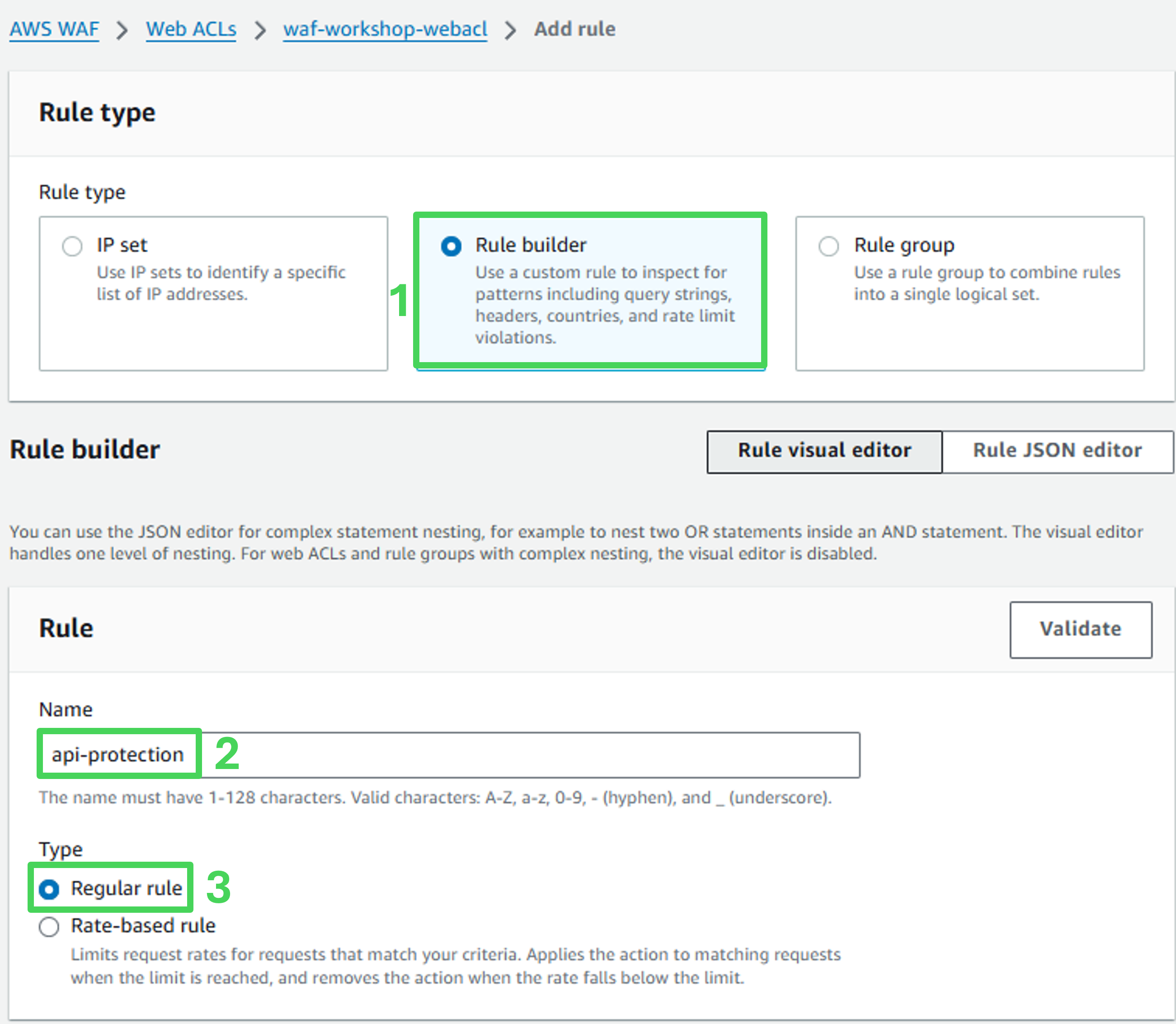
Rule details
- Rule name: api-protection
- Type: Regular rule
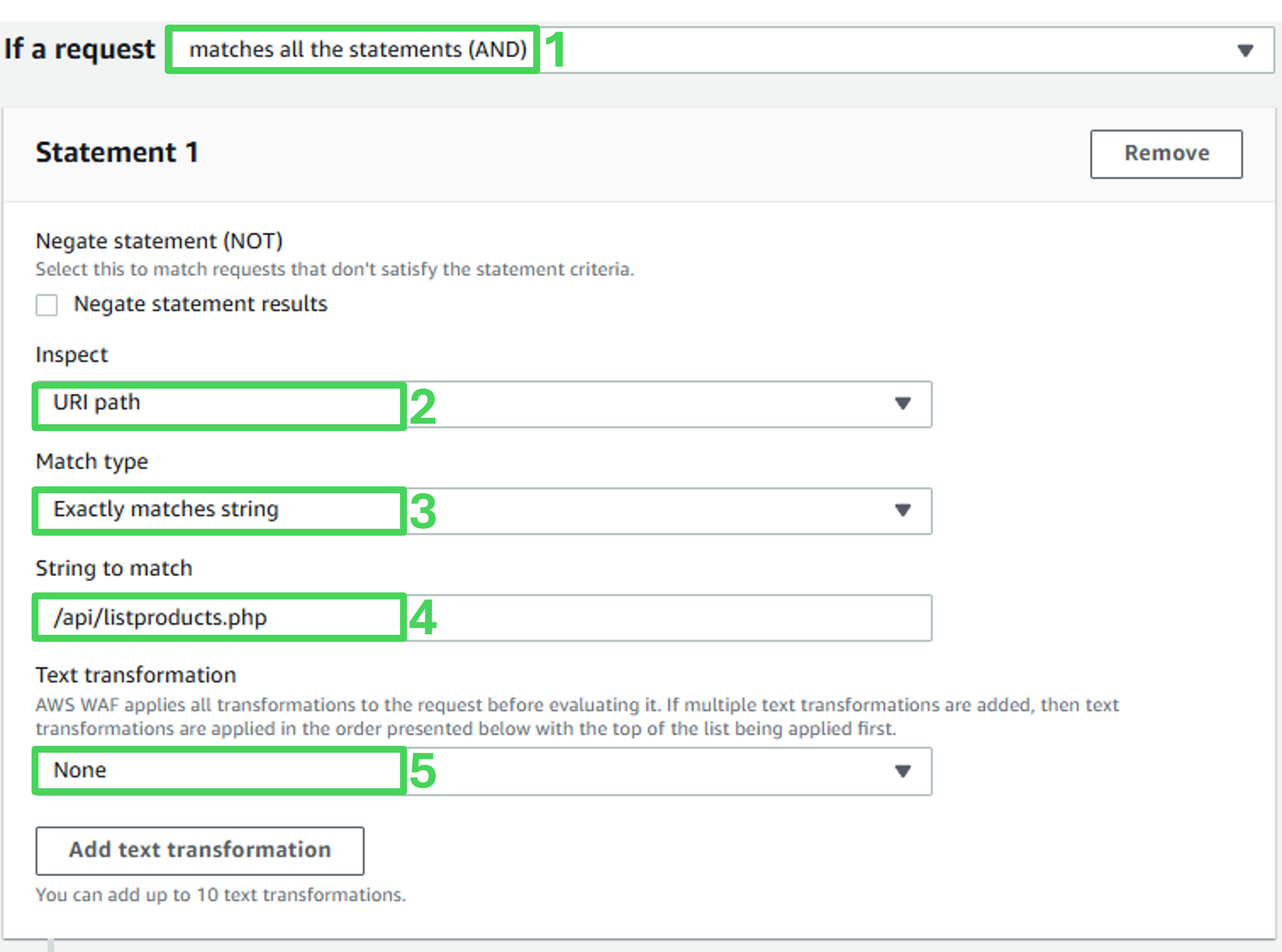
- If a request: Matches all the statements (AND)
Statement 1
- Inspect: URI path
- Match type: Exactly matches string
- String to match: /api/listproducts.php
- Text transformation: none
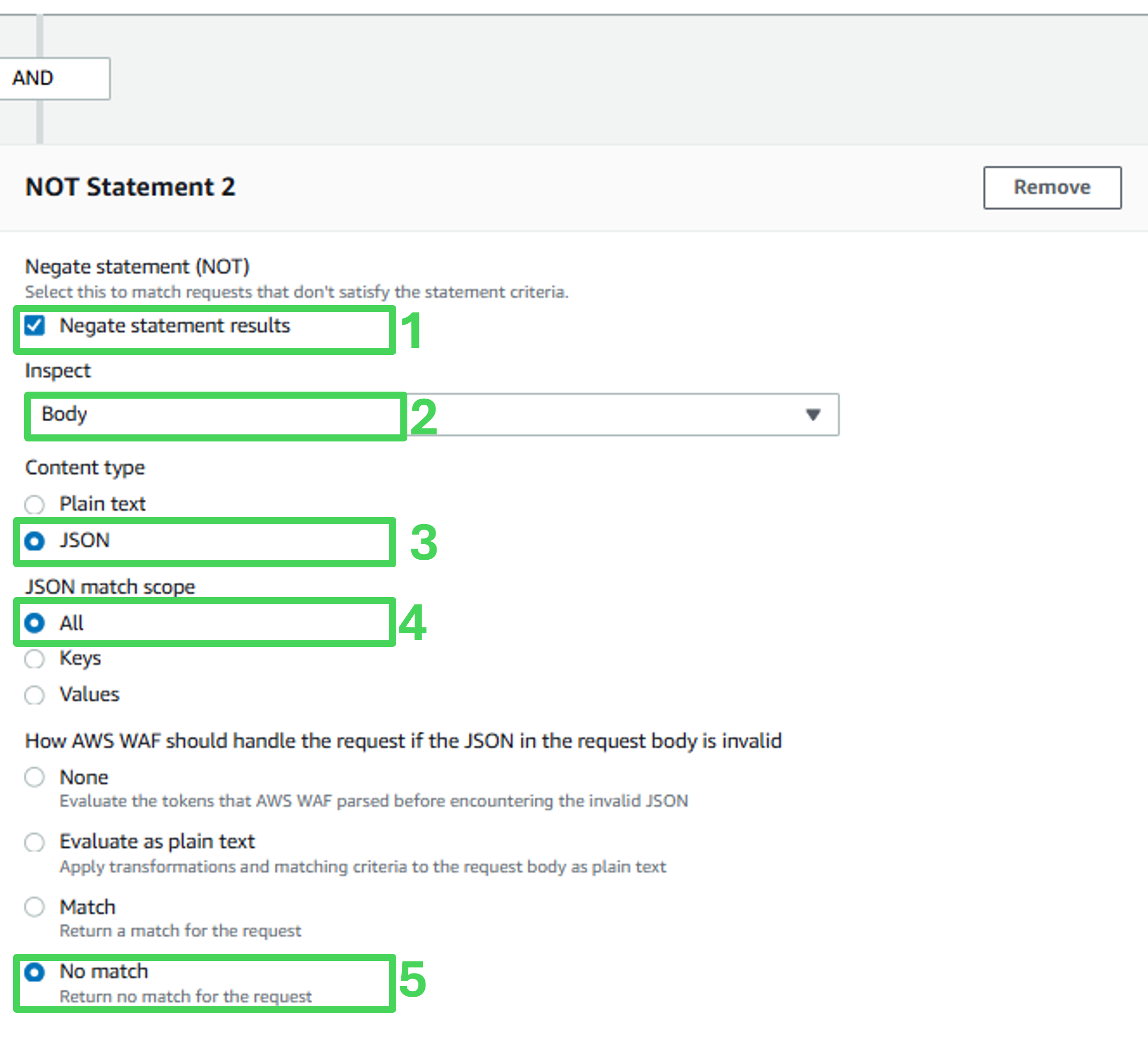
Statement 2
- Check Negate statement results
- Inspect: Body
- Content type: JSON
- JSON match scope: Values
- How AWS WAF should handle the request if the JSON in the request body is invalid: No match
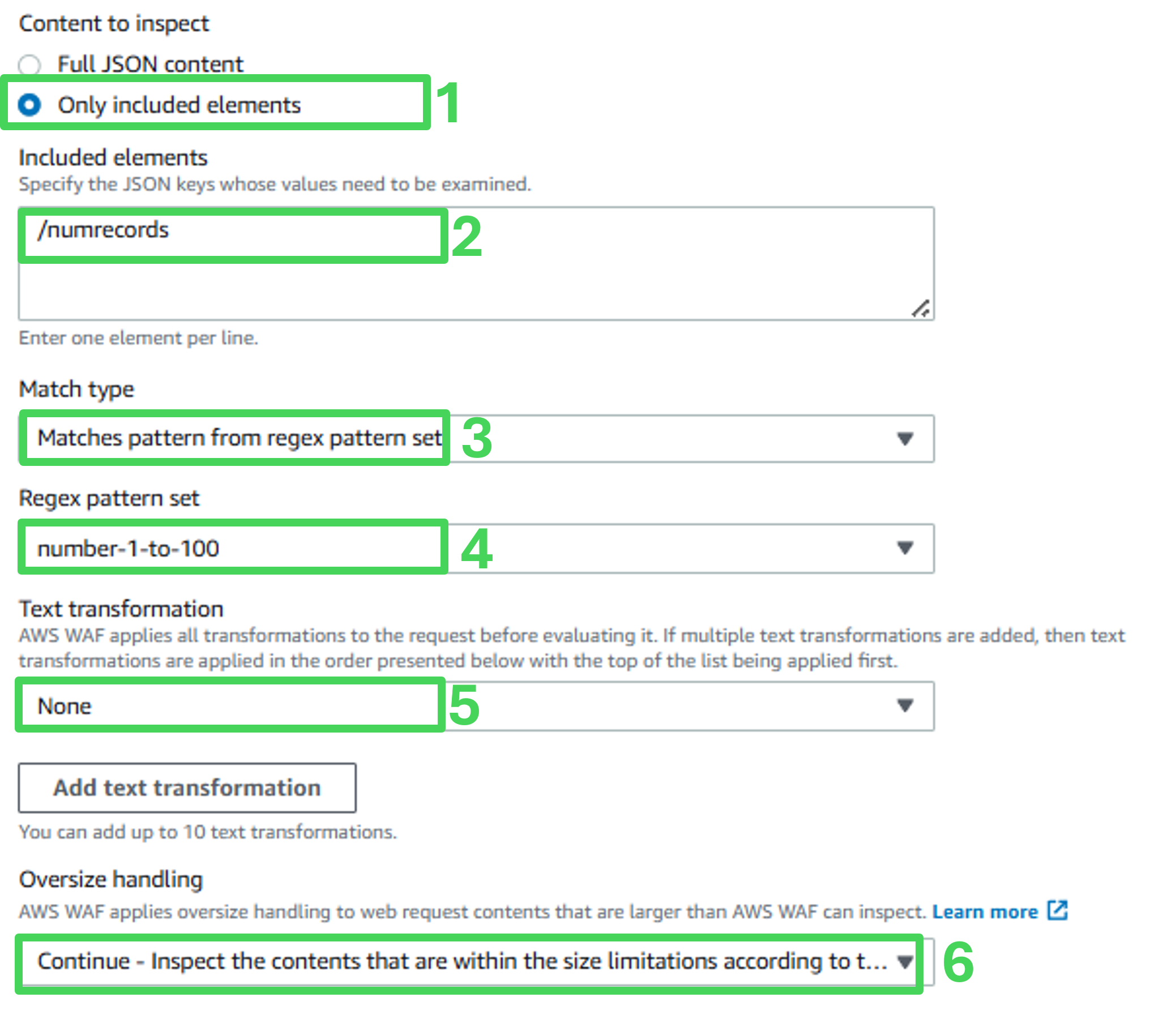
Verify JSON element matches regex statement:
- Content to inspect: Only included elements
- Included elements: /numrecords
- Match type: Matches pattern from regex pattern set
- Regex pattern set: number-1-to-100
- Text transformation: None
- Oversize handling: Continue
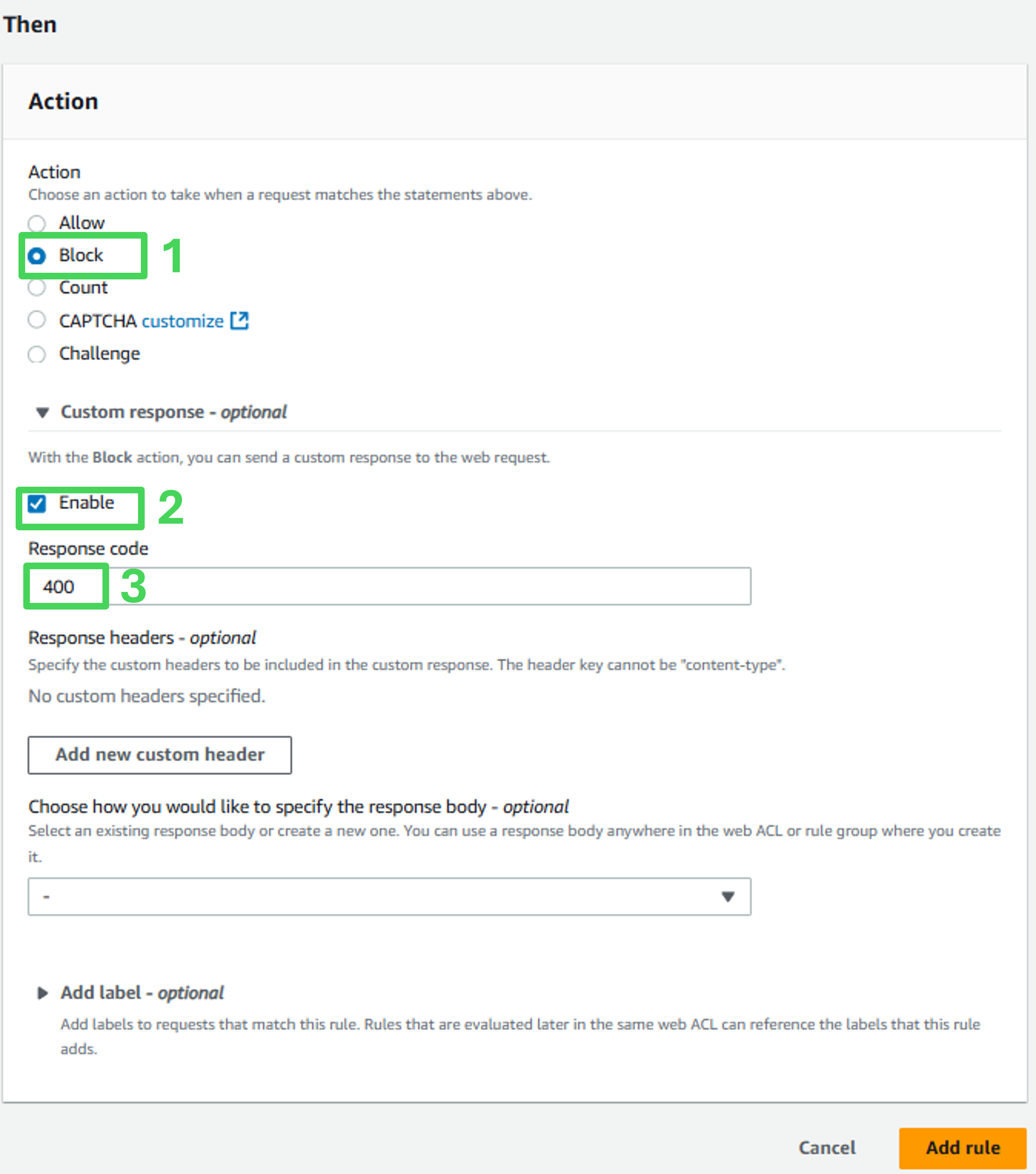
Match action
- Action: Block
- Custom response: Enable
- Response Code: 400
- Click Add rule
Set rule priority
- Click Save on the Set rule priority page.
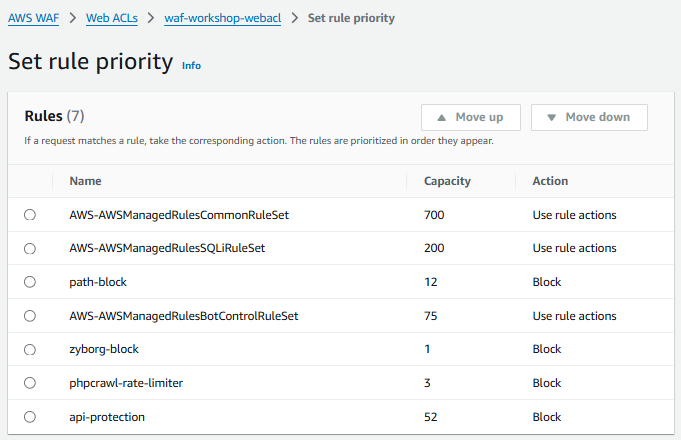 2. On the Rules tab, verify that the new custom rule has been added successfully and listed.
Assess the effectiveness of the protection
- Perform a manual scan from the Evaluate section and ensure that the API Misuse test passes successfully.
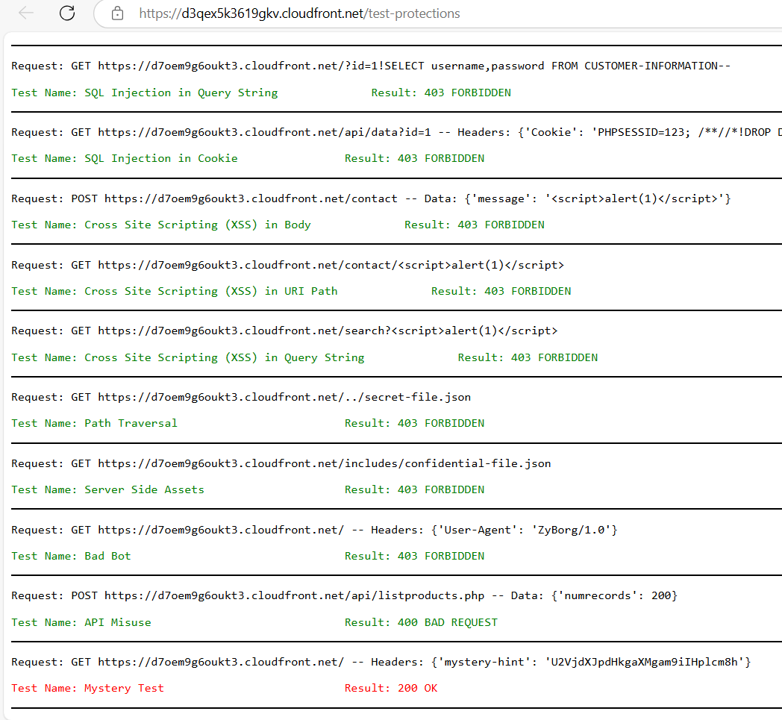
- Review the workshop dashboard to verify that the API Misuse automated test has passed.