Control Bot Traffic Rates and Send Custom Responses
Scenario
After analysis, your business has discovered that a partner is using a PHP crawler bot. This bot occasionally causes traffic spikes, impacting other users. While waiting for the partner to address the issue, you need to set up automatic traffic rate limits to ensure the website’s performance.
Instructions
Create a rate-limiting rule allowing a maximum of 100 requests within 5 minutes. The rule matches the label awswaf:managed:aws:bot-control:bot:name:phpcrawl. When the limit is exceeded, block the requests with a custom response containing:
- Response Code: 429
- Response Header: key Retry-After and value 900
- Response Body: “Only 100 requests are allowed within a 5-minute window.”
Procedure
Verification steps for this rate-limiting differ from previous tasks. Please review the verification steps carefully.
Add a custom rule to the Web ACL:
Open the Rules tab of the Web ACL.
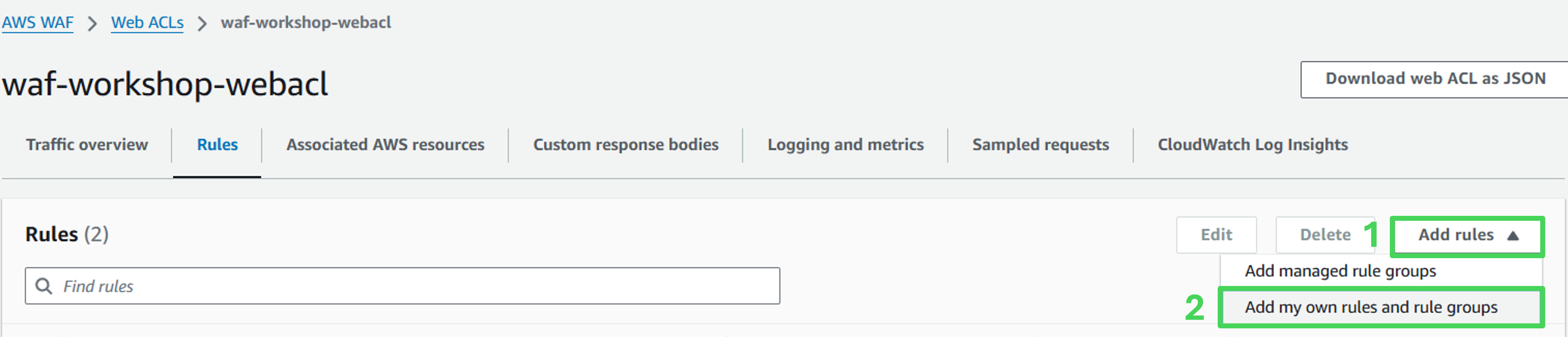
Click Add rules and select Add my own rules and rule groups.
Rule details
- Rule type: Rule builder
- Name: phpcrawl-rate-limiter
- Type: Rate-based rule

Configure request rate limiting:
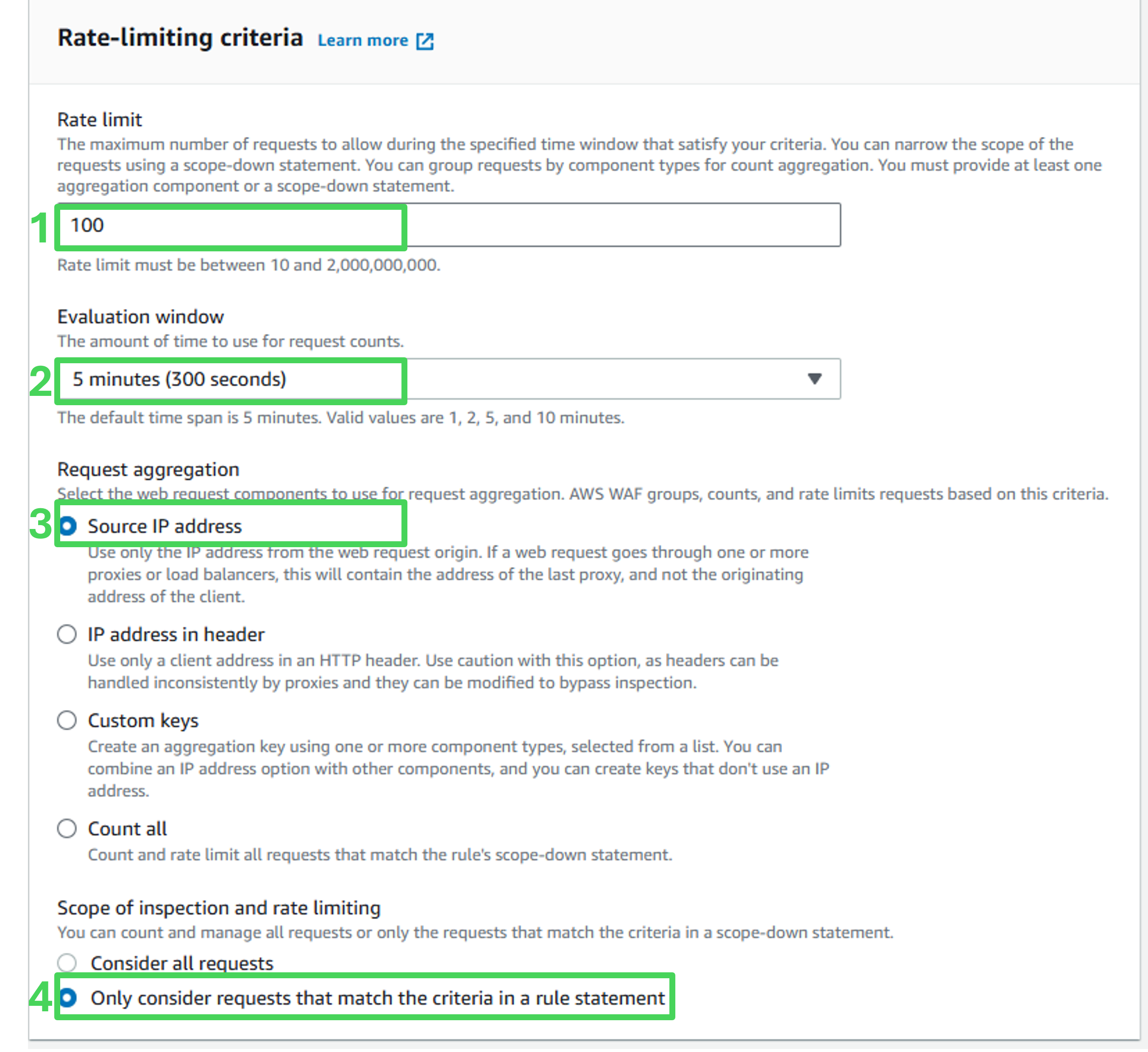
- Rate limit: 100
- Evaluation window: 5 minutes
- Request aggregation: Source IP address
- Scope of inspection and rate limiting: Only consider requests that match the criteria in a rule statement
Statement
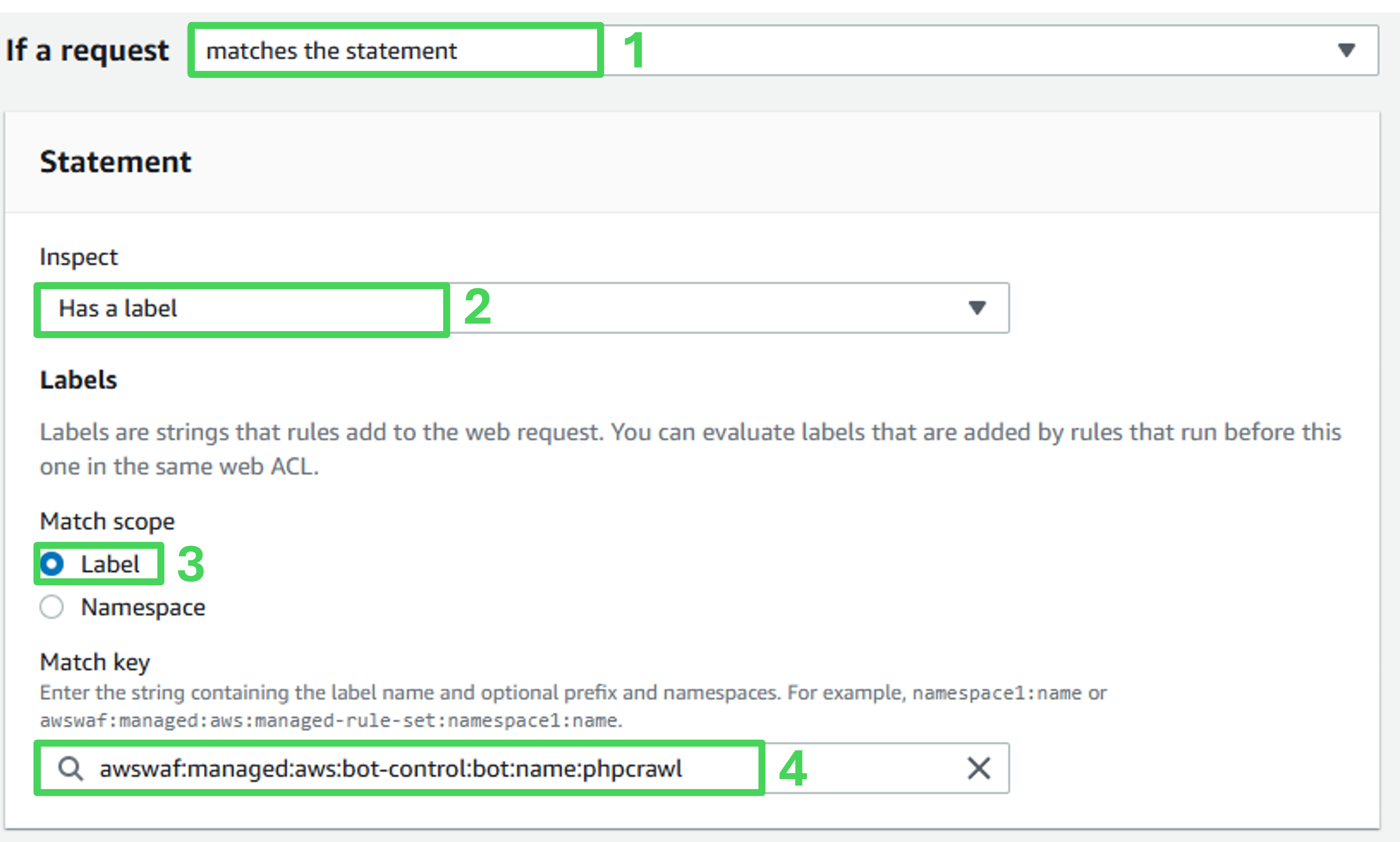
- If a request: matches the statement
- Inspect: Has a label
- Match Key: awswaf:managed:aws:bot-control:bot:name:phpcrawl
Match action
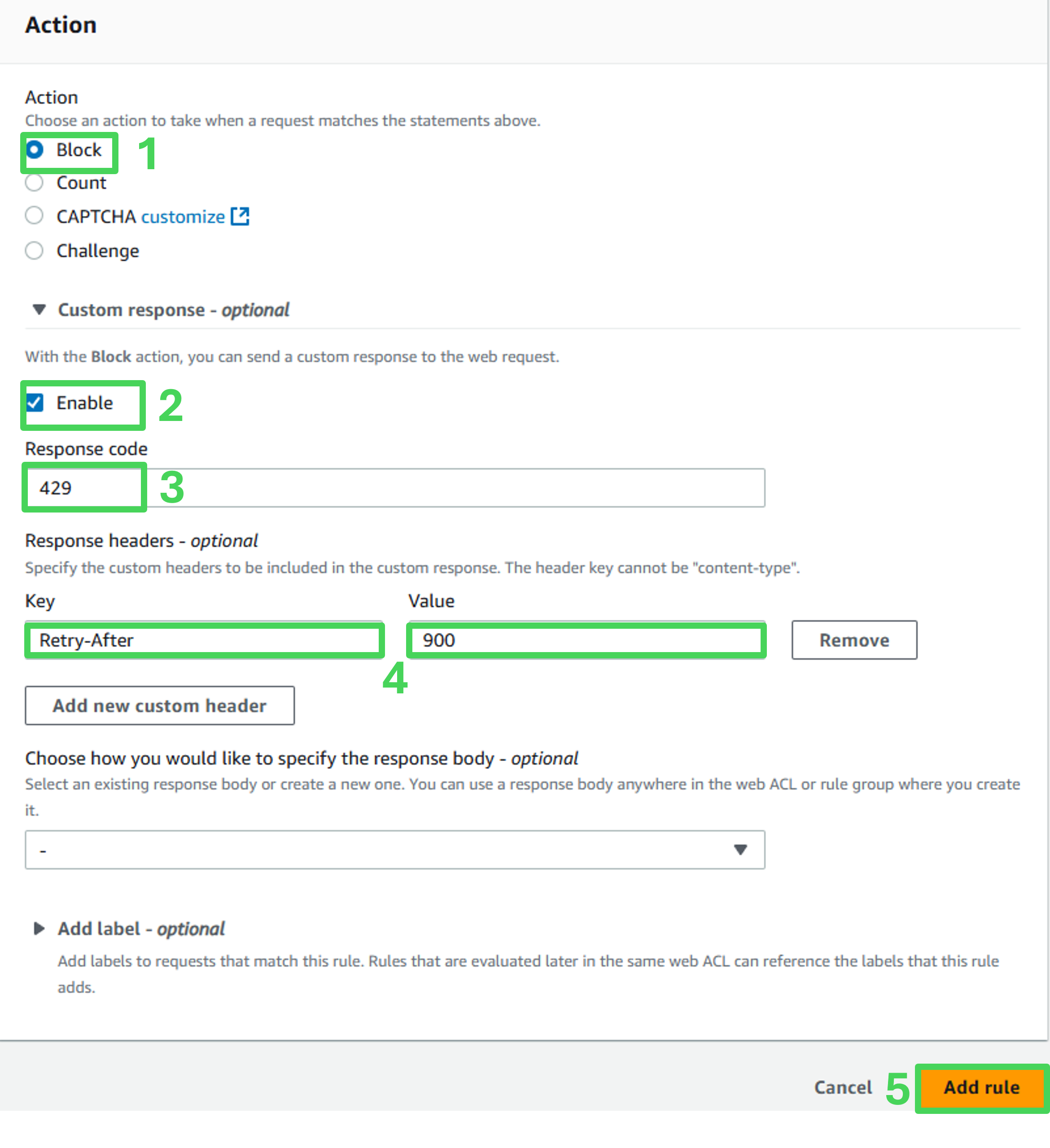
- Action: Block
- Custom response: Enable
- Response Code: 429
- Click Add new custom header
- Response Headers:
- Key: Retry-After
- Value: 900
- Click Add rule
Set rule priority
On the Set rule priority page, place the phpcrawl-rate-limiter rule below the AWS WAF Bot Control managed rule.
Click Save.
Confirm the rule has been added to the list of rules on the Rules tab.
Assess the effectiveness of the protection
Navigate to Stack Outputs in CloudFormation and click the link Trigger Rate Limiting.
The link will simulate automated traffic by sending a large number of requests to the website.
Initially, requests receive 200 OK responses.
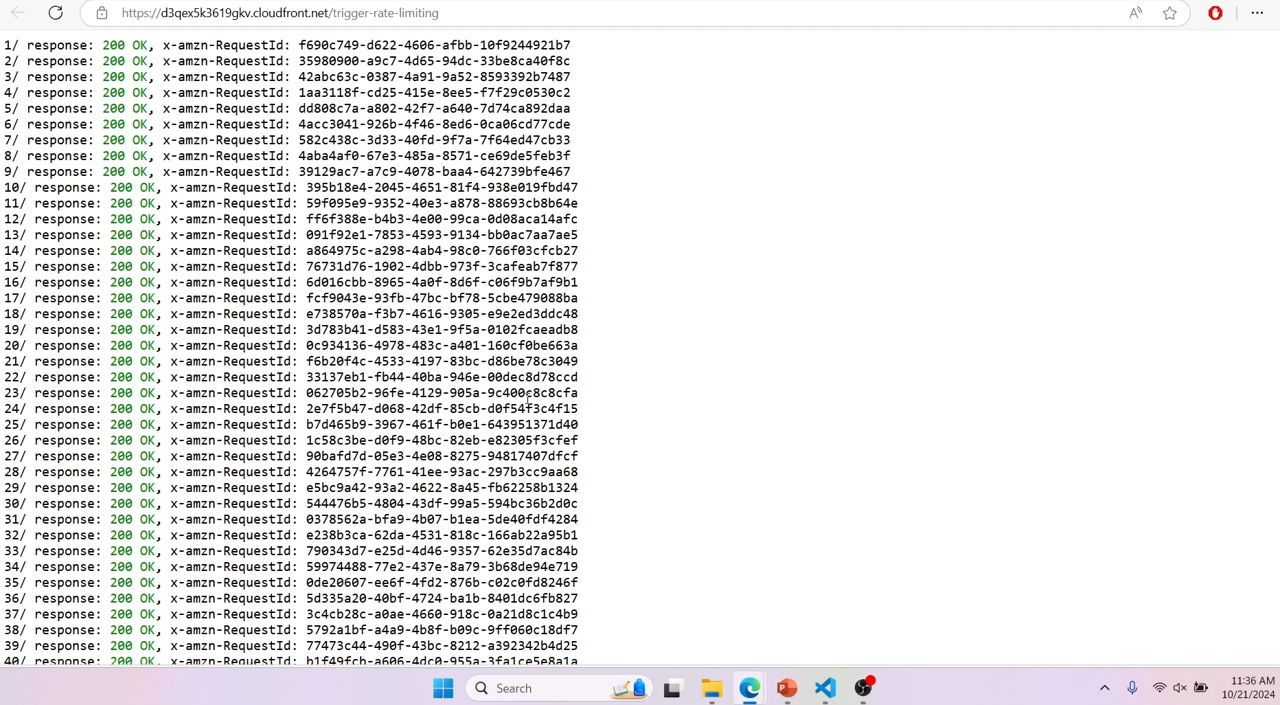
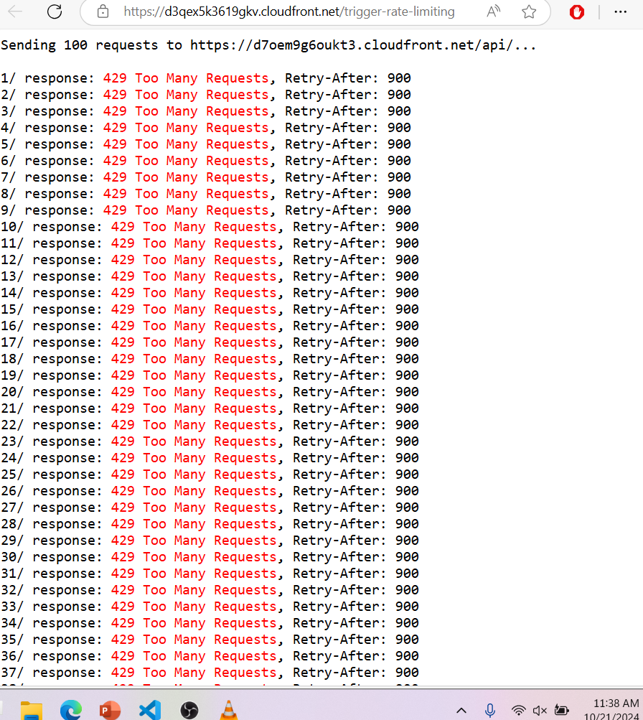
Once the limit is exceeded, responses switch to 429 Too Many Requests.
Confirm that the Retry-After header is included in the responses.
 Congratulations! You have successfully set up a rate-limiting rule for the PHPCrawler bot, ensuring stable website performance.