Block Bad Bots using Custom Rules
Scenario
In the last section, AWS WAF Bot Control was enabled to monitor bot traffic. After analysis, you discovered that the bot “zyborg” is overloading your web server and is not allowed to operate within your application. Your task is to block all requests from the “zyborg” bot.
Instructions
The AWS WAF Bot Control rule group will label requests from the “zyborg” bot with the tag: awswaf:managed:aws:bot-control:bot:name:zyborg. Create a custom WAF rule to block all requests containing this label.
Procedure
Add a custom rule to the Web ACL
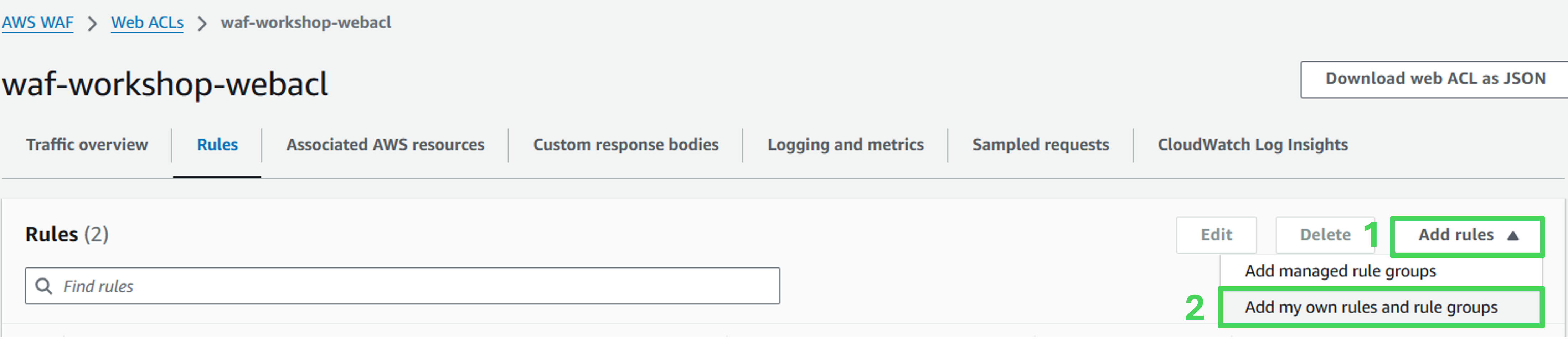
Open Web ACL and navigate to the rule list. Click Add rules and select Add my own rules and rule groups.
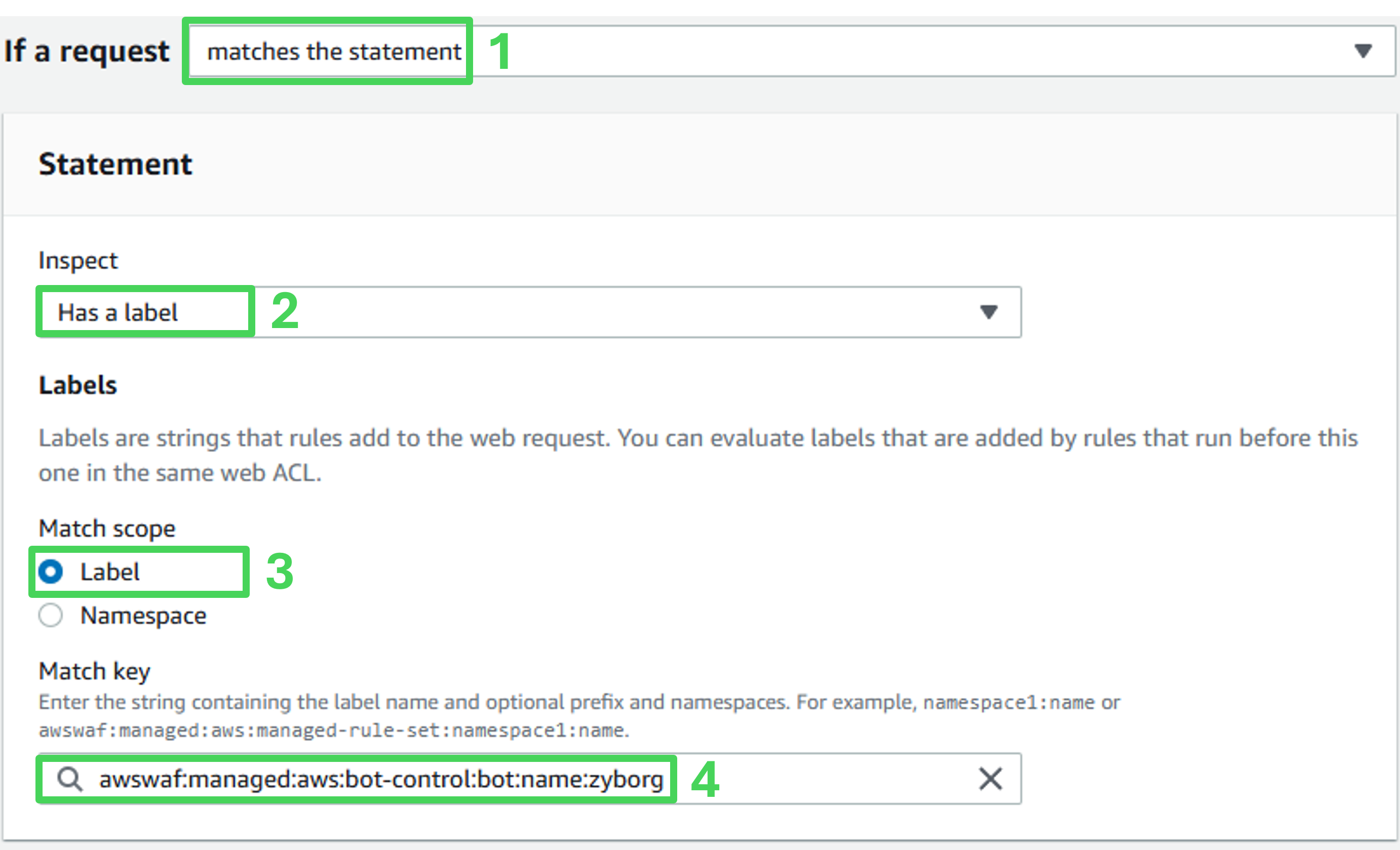
Rule details
- Rule type: Rule builder
- Name: zyborg-block
- Type: Regular rule
- If a request: matches the statement

Statement
- Inspect: Has a label
- Match scope: Label
- Match key: awswaf:managed:aws:bot-control:bot:name:zyborg
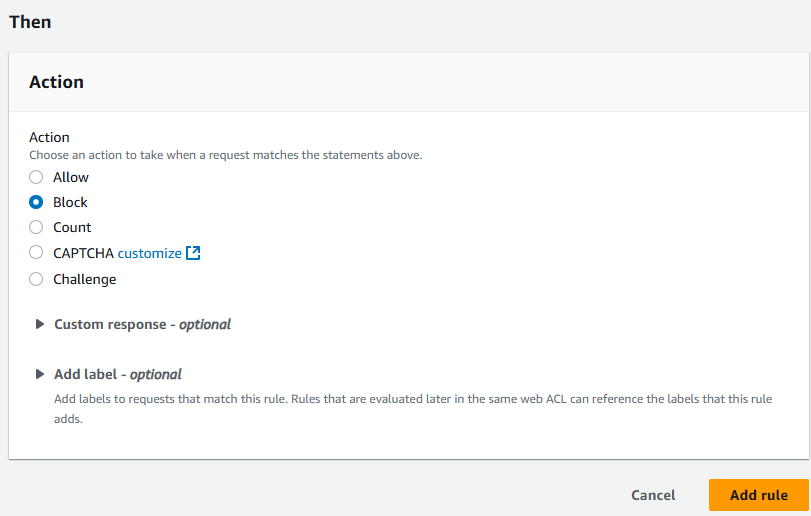
Match action
Action: Block
Click Add rules at the bottom of the page.
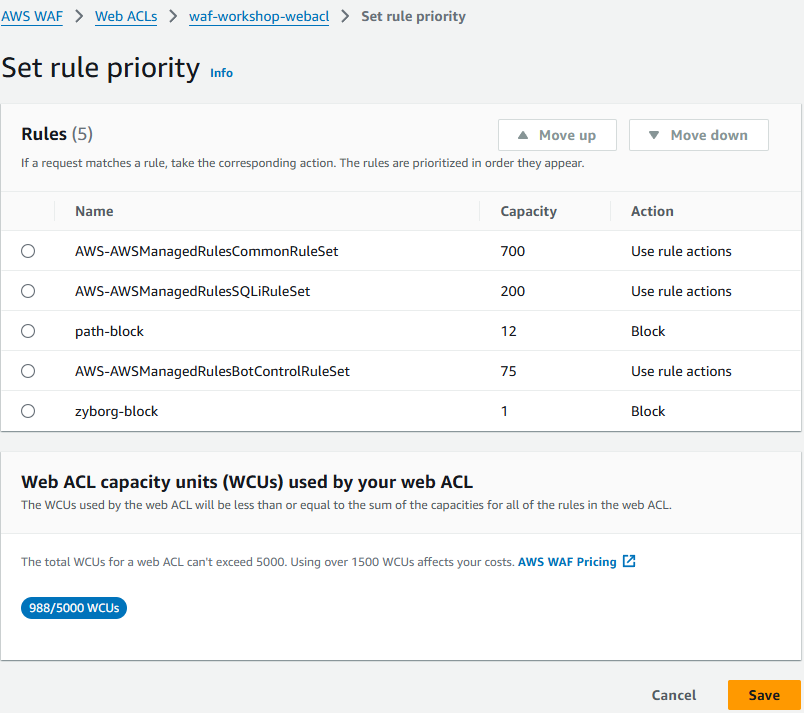
Set rule priority
- On the Set rule priority page, ensure that the zyborg-block rule is placed below the AWS WAF Bot managed rule (“AWS-AWSManagedRulesBotControlRuleSet”). Then click Save.
Rules tab and verify that the zyborg-block rule is listed.
- Navigate to the Rules tab, verify that the new custom rule is now listed.

Assess the effectiveness of the protection
- Use manual scanning tool in the Evaluate section to verify that testing with the “zyborg” bot returns a 403 Forbidden error.
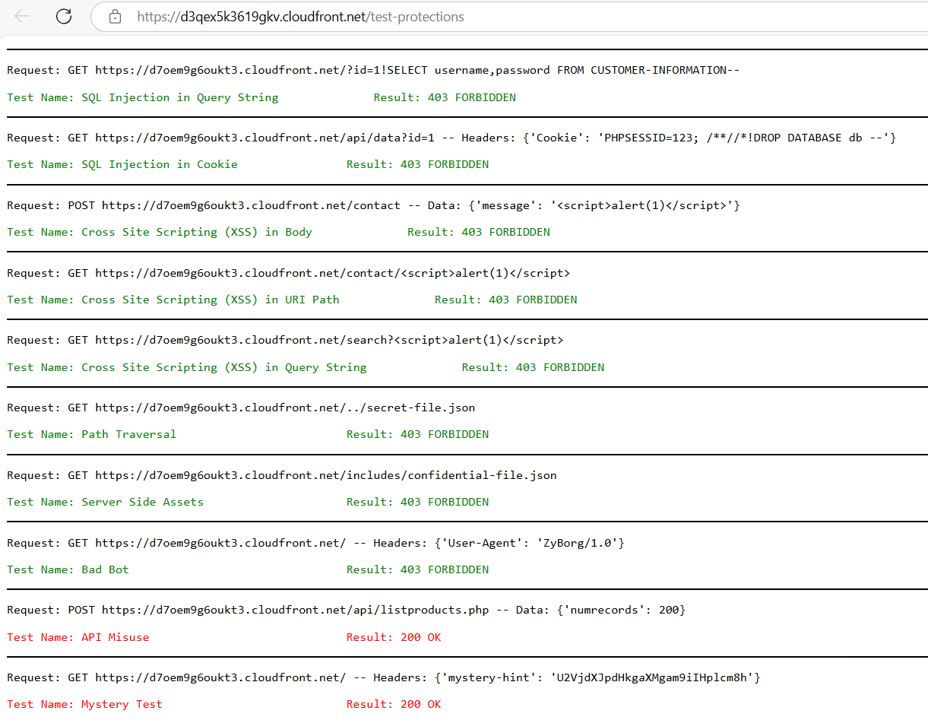
- Review the workshop console and ensure that automated scans with “Bad Bot” show a passed status (green).
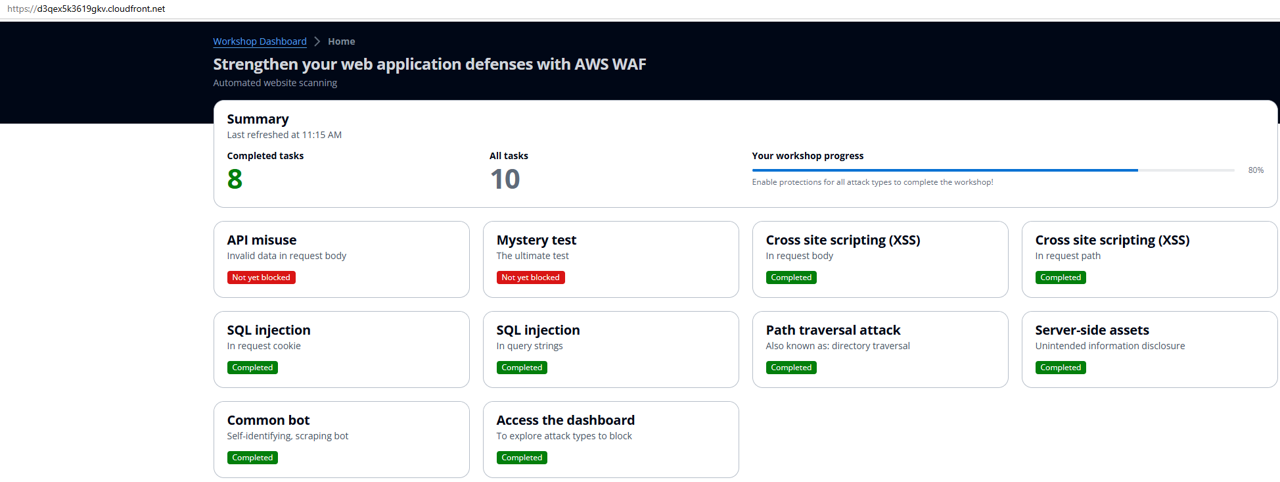
Congratulations! You have successfully configured a rule to block the “zyborg” bot.