Monitor Bot Traffic patterns
Scenario
Your business’s security team has identified that a large amount of website traffic comes from various types of bots, including both wanted and unwanted bots. You need more detailed insights into the number and type of bots on the website before deciding on any traffic-blocking actions. The business also wants to limit the scope of bot control usage to reduce costs and avoid unnecessary protection for static content such as CSS, JS, or images. Developers have provided the following RegEx pattern to identify static content on the website:
(?i)\.(jpe?g|gif|png|svg|ico|css|js|woff2?)$
Instructions
You can use the AWS WAF Bot Control managed rule group to monitor bot traffic on the website. This rule group offers two main options: Common Bots and Targeted Bots. For more information, refer to the documentation.
The first step is to create a regex pattern set to identify static content. Then, configure the AWS WAF Bot Control rule group, apply a scope-down statement to exclude static content (based on the regex pattern), and set it up to count traffic only. Although it does not block traffic, the Bot Control rule group labels bot requests with AWS WAF, providing detailed control.
Within just a few minutes, you can access the Bot Control tab in AWS WAF to view detailed information about bot traffic on the website.
This task does not have any protective measures to be verified. The labels applied by the AWS WAF Bot Control rule group will be used in the next two tasks.
Procedure
Create a regex pattern Set for static content
- Navigate to Regex pattern sets in AWS WAF and verify that the selected region in the console is correct.
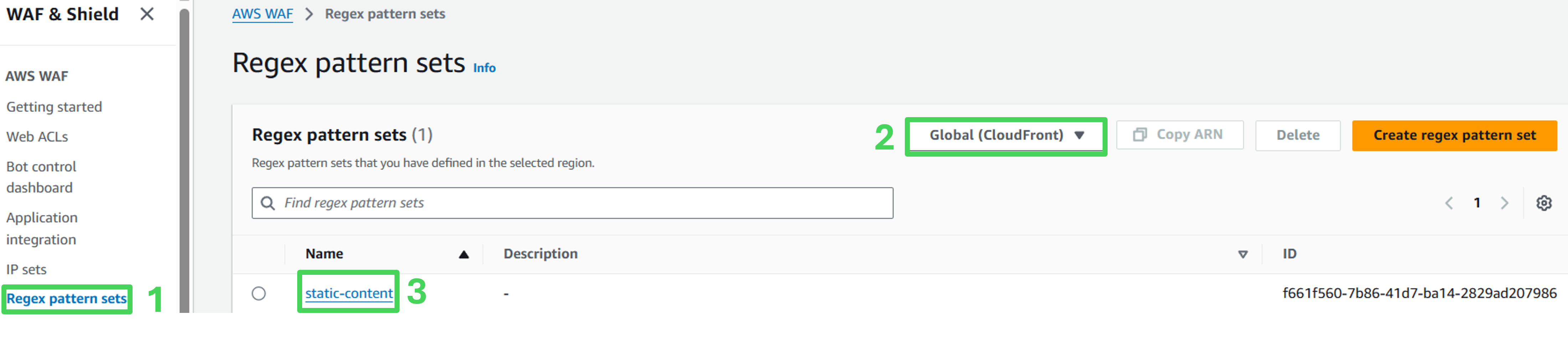 2. A predefined regex pattern is available, click on it to view the details.
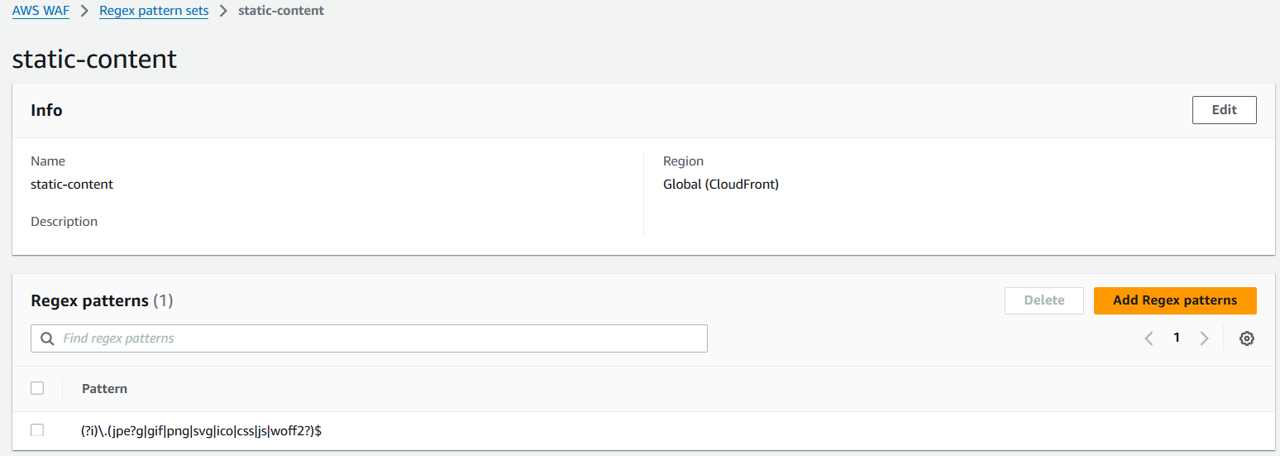 Regular expressions: (?i).(jpe?g|gif|png|svg|ico|css|js|woff2?)$
AWS WAF Bot Control rule set
Activate AWS WAF Bot Control to monitor bot traffic. Override the default action of the rule to Count, ensuring no traffic is blocked. Use scopedown statements to limit bot control application to requests that do not match the static content pattern (as defined in the regex pattern set).
Add AWS WAF Bot Control
- Access the AWS WAF Console and open waf-workshop-webacl.
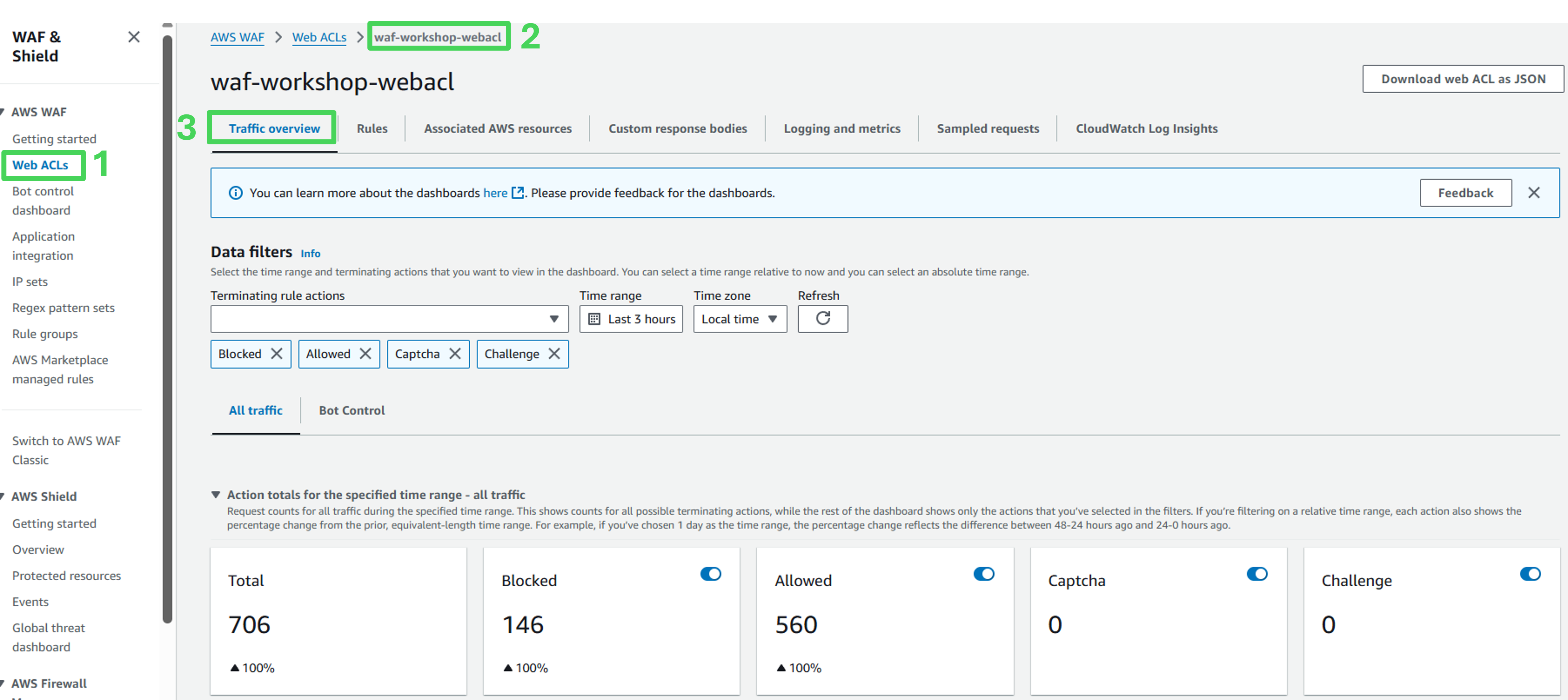
Go to the Traffic Overview tab.
Under the Data Filters section, select to the Bot Control tab.
Click on Add AWS WAF Bot Control Rule Group in the How it works section.
Bot Control configuration
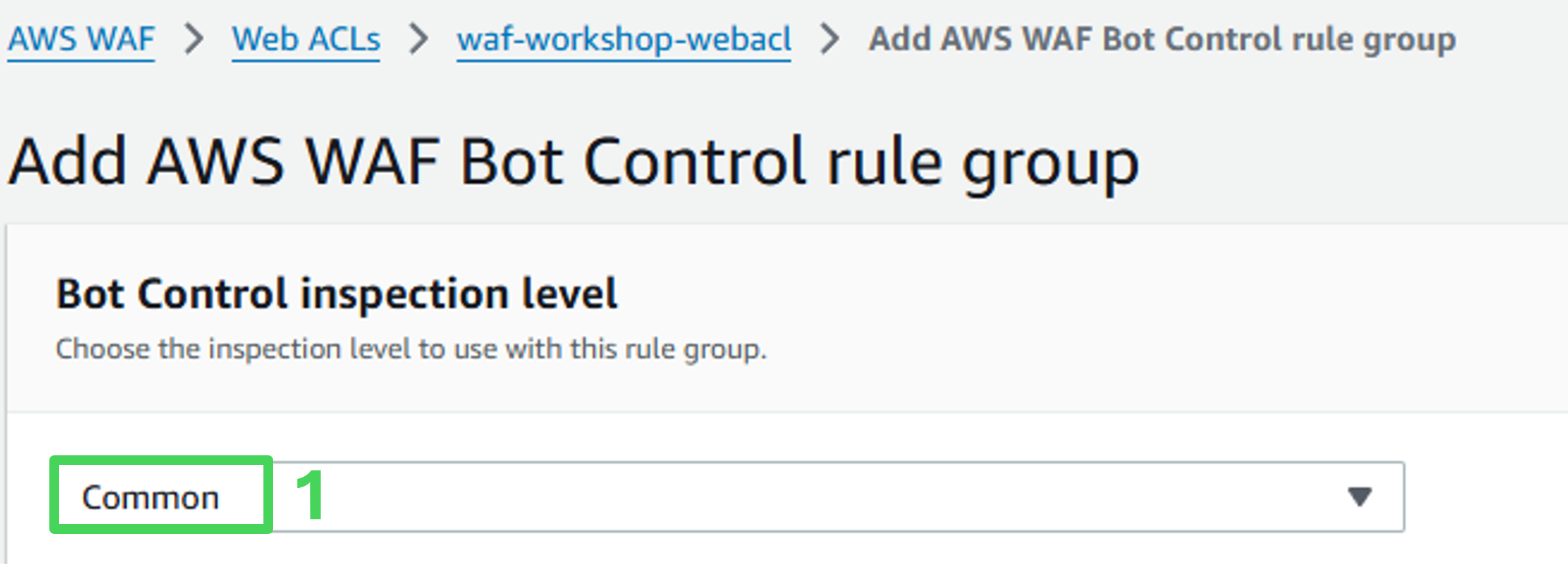
- Bot Control inspection level: Select Common.
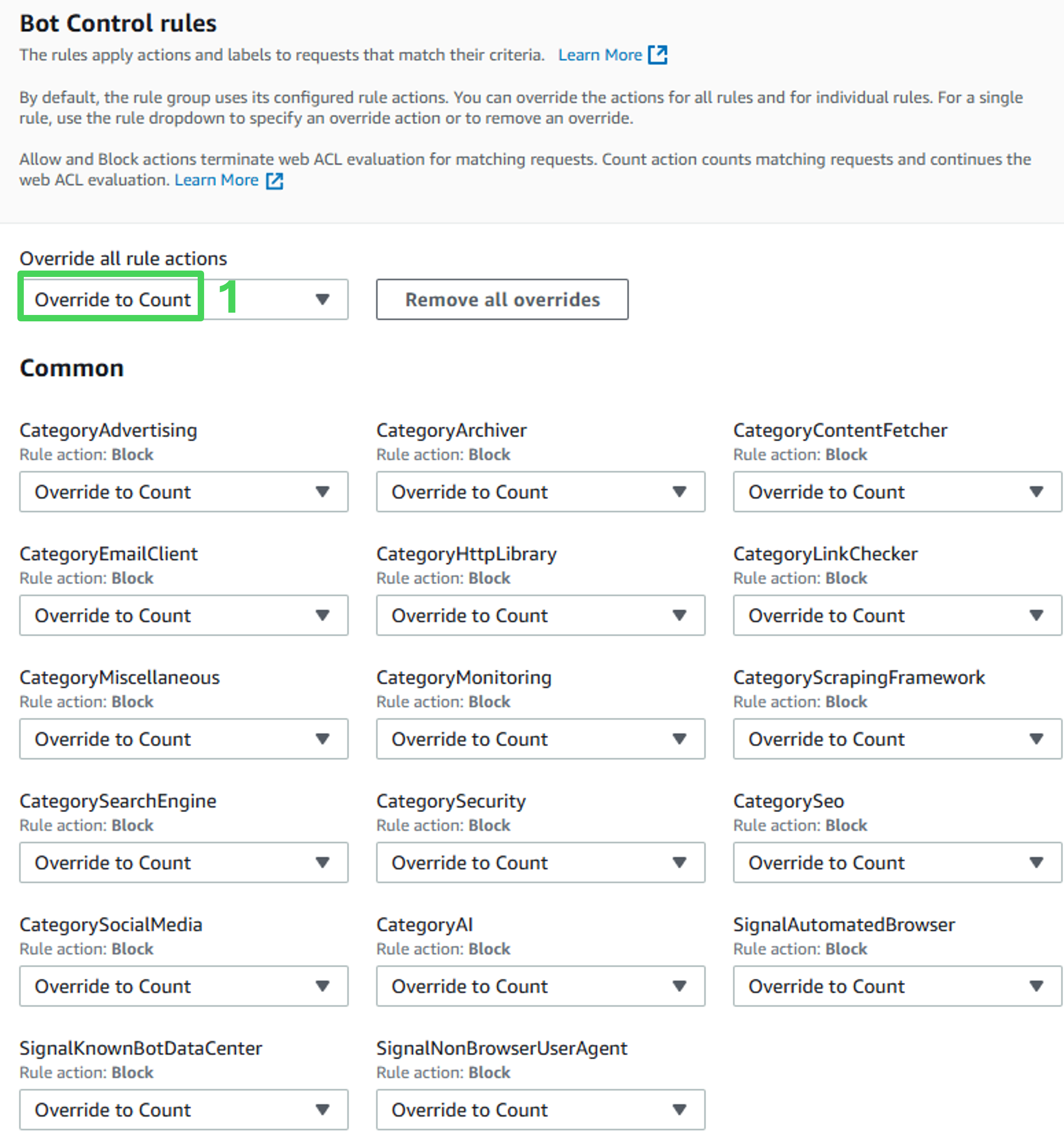
- Bot Control rules: Set Override all rule actions to Count.
Scope-Down statement configuration
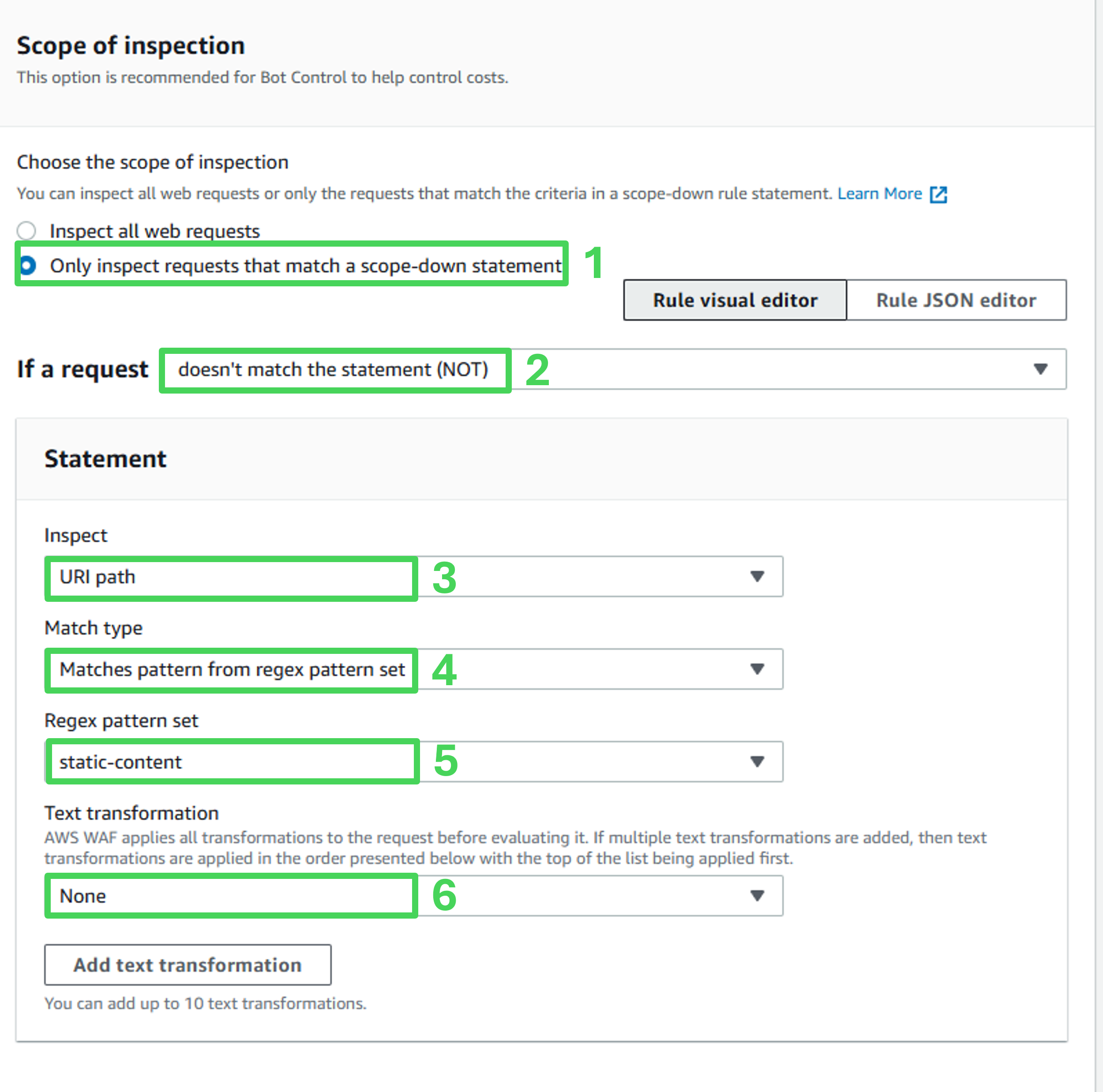
Choose the scope of inspection: Only inspect requests that match a scope-down statement
Scope-down statement: enabled (checked)
If a request: doesn’t match the statement (NOT)
Inspect: URI path
Match type: Matches pattern from regex patttern set
Regex pattern set: static-content
Text transformation: None
Set priority and review rules
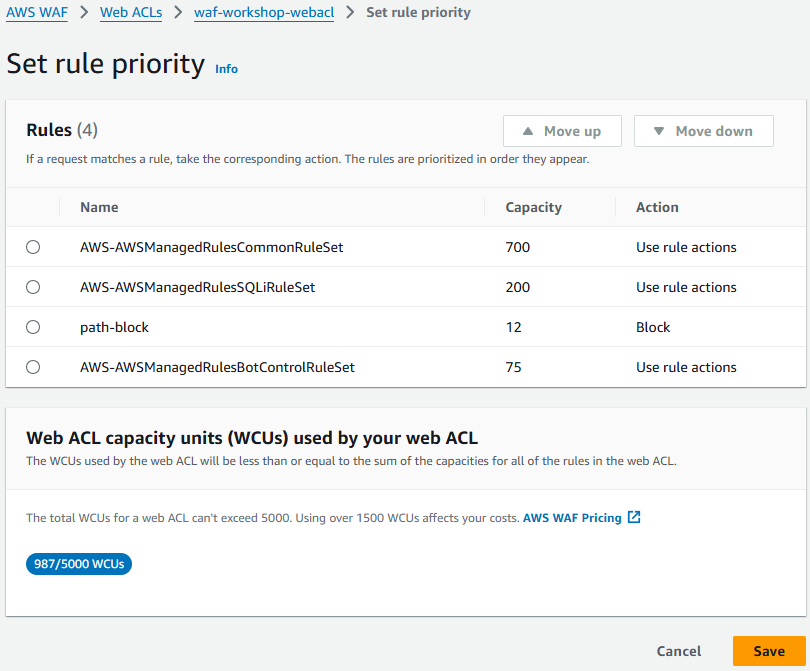
- On the Set rule priority page, click Save.
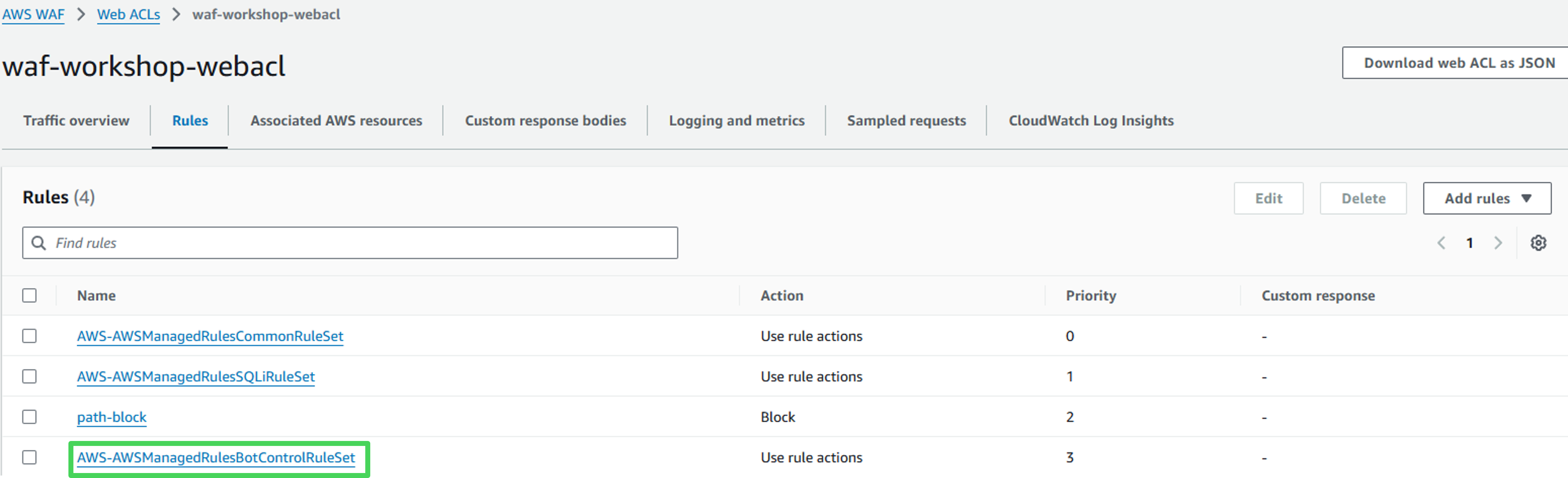
- Verify that the Bot Control rule set is listed in the Rules tab of the Web ACL.
- Wait a few minutes for bot traffic details to appear in the Bot Control tab.
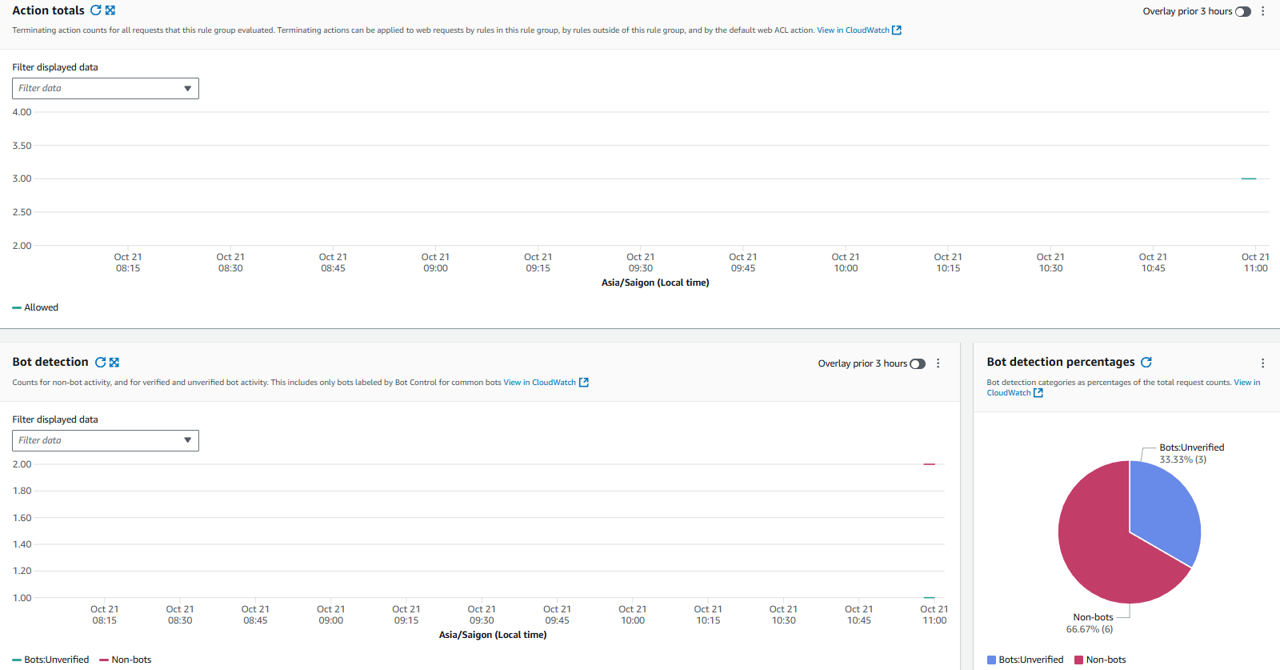
Congratulations! You have successfully integrated AWS WAF Bot Control, enabling labeling for bot requests on your website. These labels will be used for detailed control actions in following tasks.