Secure Paths using Custom Rules
Scenario
Your website has a /includes directory containing files that should only be accessed by server processes. However, these files are currently accessible directly from the Internet, which poses a risk of exposing sensitive information. Your task is to configure AWS WAF to block all direct requests from the Internet to the /includes directory.
Instructions
A custom AWS WAF rule can be used to block requests that have paths starting with /includes. To ensure that no encoded requests are missed, apply URL decoding transformations before checking. After configuring the custom rule and adding it to the Web ACL, verify the protection using both manual and automated scanning methods.
Procedure
Add a custom rule to the Web ACL:
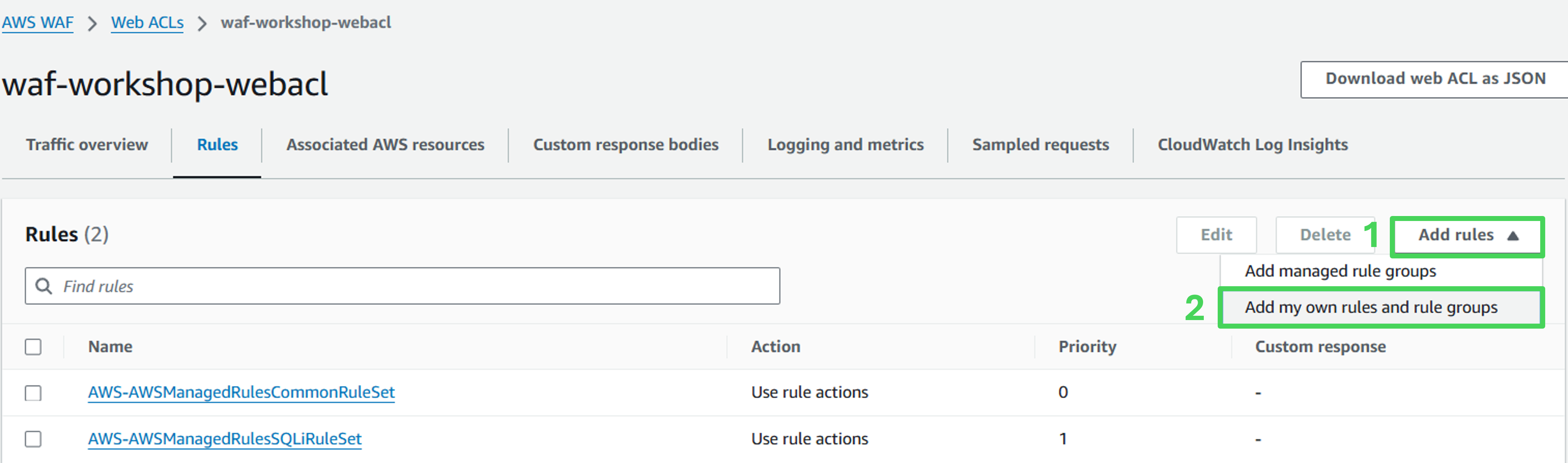
Open the Web ACL section and select the Rules tab.
Click Add Rule and choose Add my own rules and rule groups.
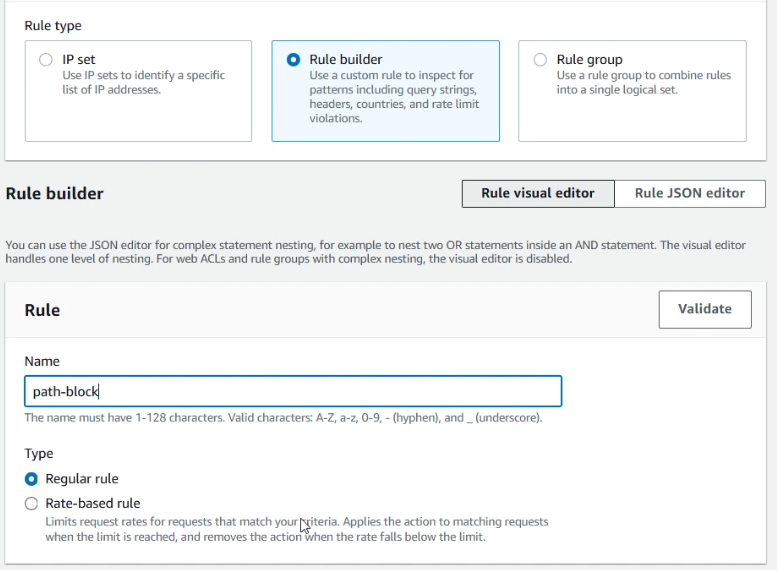
Rule details
- Rule type: Rule builder
- Name: path-block
- Type: Regular rule
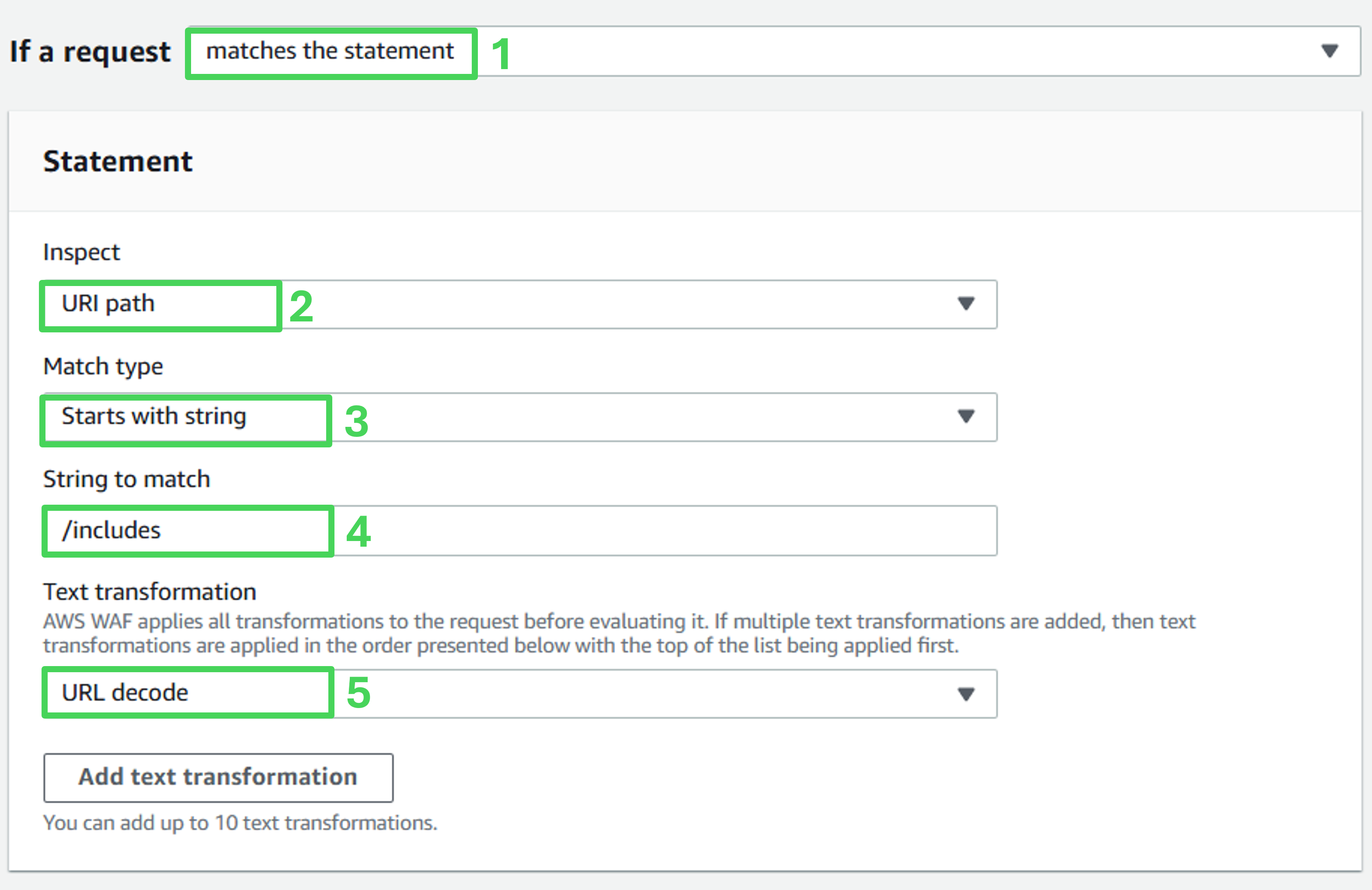
Statement
- If a request: Matches the statement
- Inspect: URI path
- Match type: Starts with string
- String to match: /includes
- Text transformation: URL decode
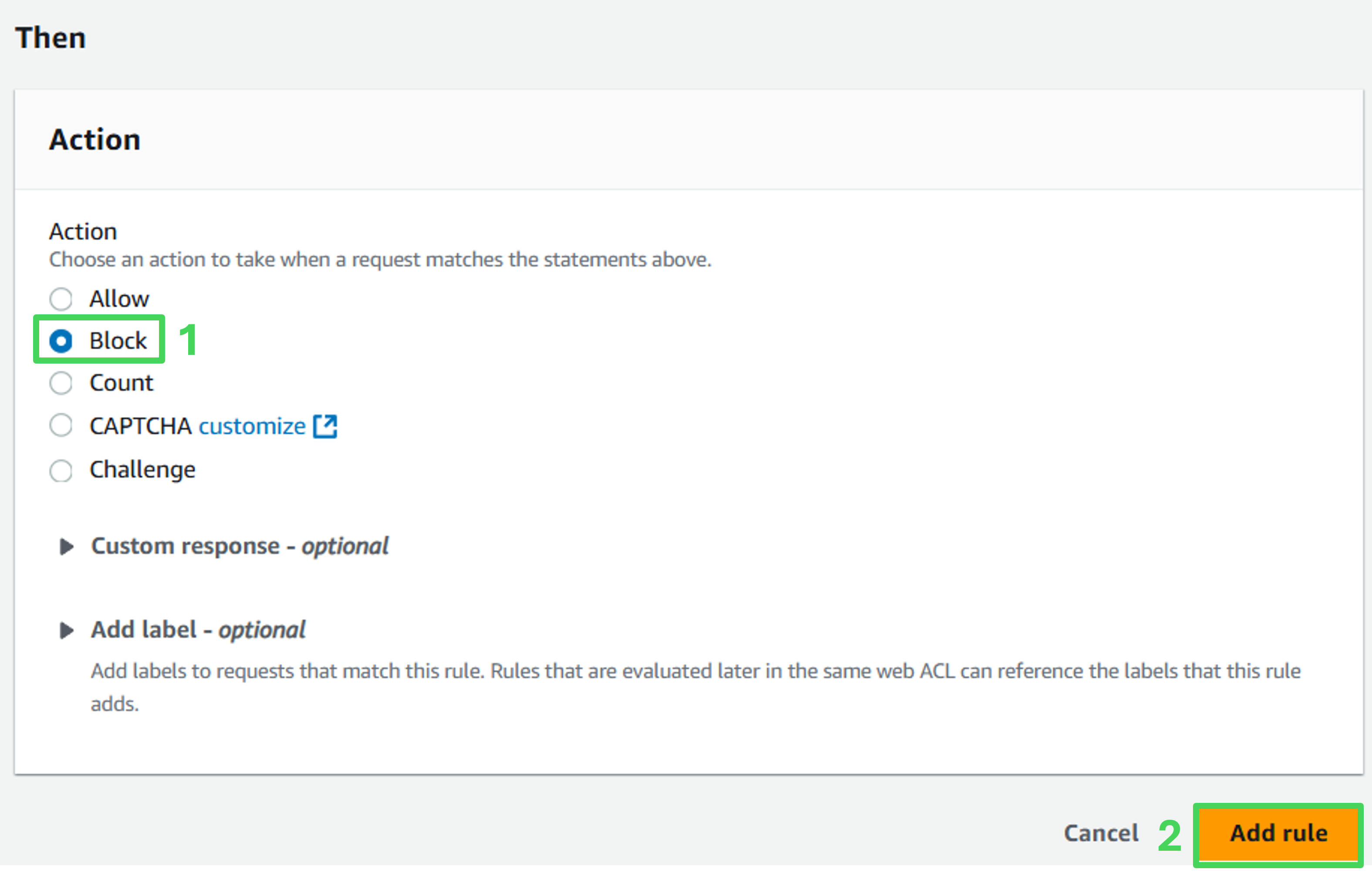
Match action
- Action: Block
- Click Add rules at the bottom of the page.
Set rule priority
- On the Set rule priority page, click Save.
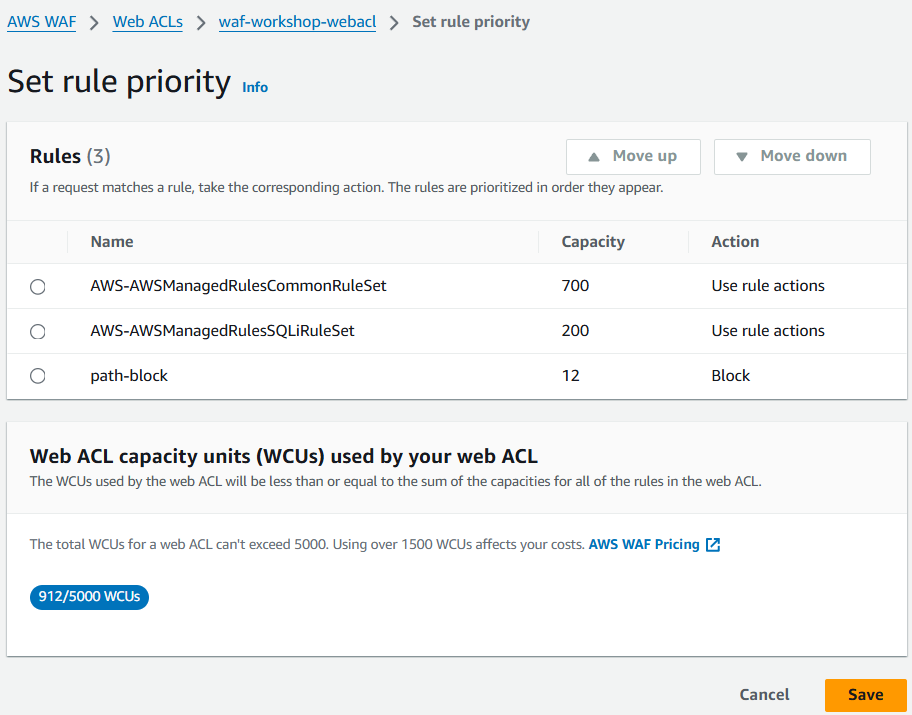
- Return to the Rules tab and verify that the path-block rule is listed.
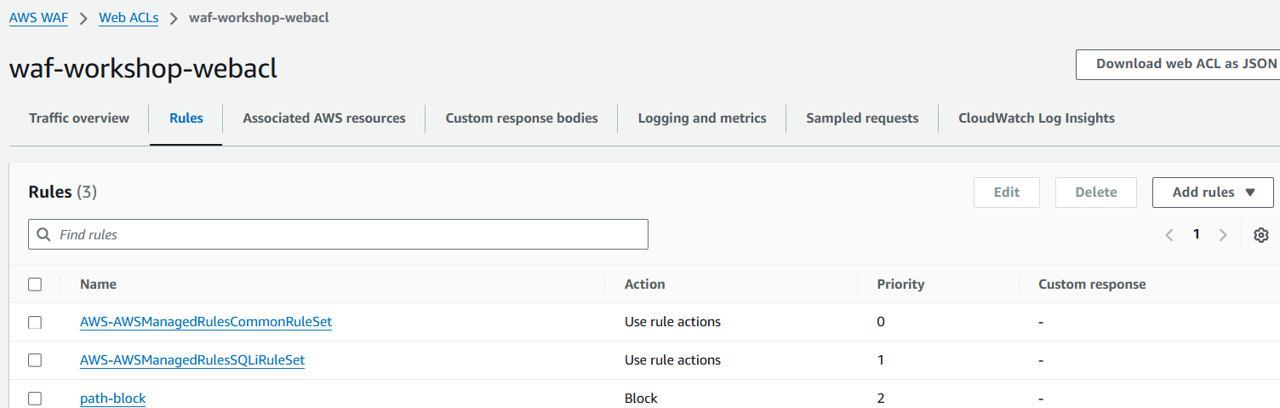
- You have now successfully added a custom rule to block all requests to the /includes directory. Next, test the protection.
Assess the effectiveness of the protection
Conduct manual testing to confirm that requests to the /includes directory result in a 403 Forbidden error.
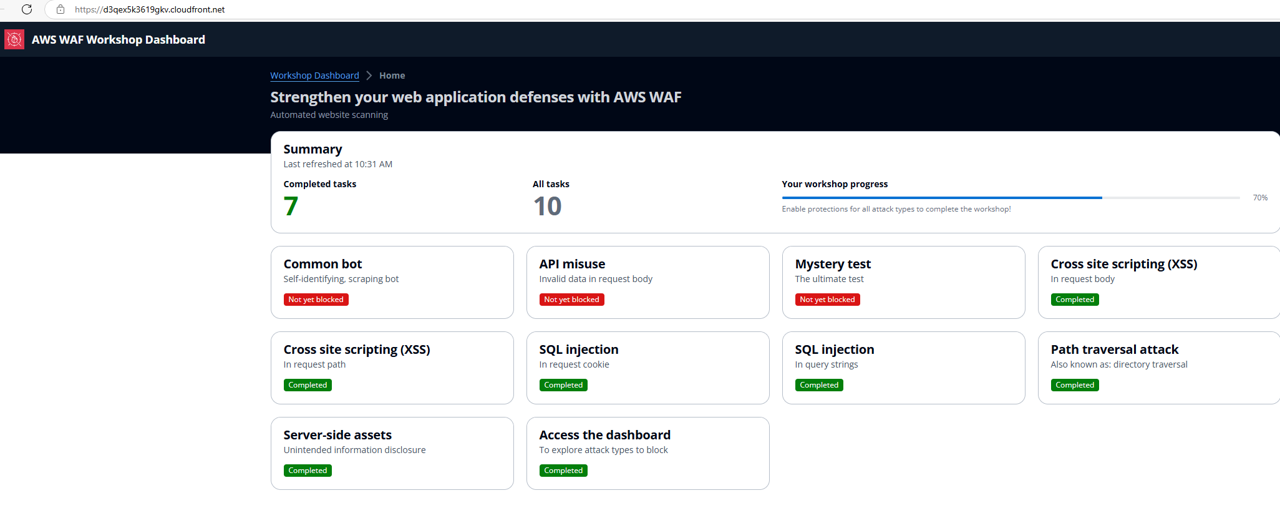 Review the AWS WAF dashboard to confirm that automated scans verify requests to the /includes directory are blocked.
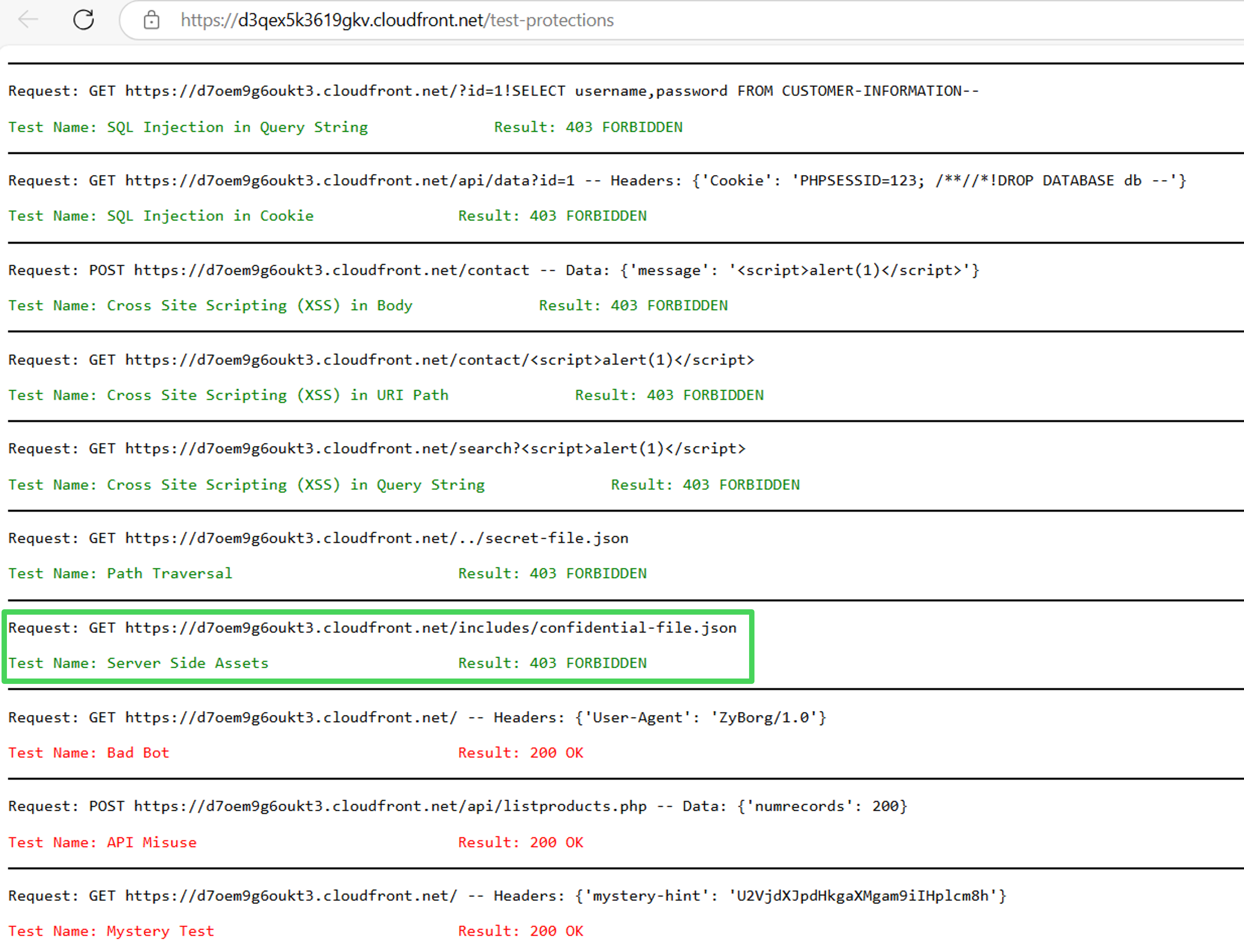 Congratulations! You have successfully protected the files in the /includes directory from external access.